

In this guide
- Quick Picks: Best Laptop Stands at a Glance
- Laptop Stand Comparison: Lift, Capacity and Fit
- How We Picked These Laptop Stands
- The Eye-Level Problem: Why Most Laptop Stands Are Too Short
- The 7 Best Laptop Stands, Ranked by How Much They Lift
- 1. Nulaxy C5 Pull-Out Stand — Best for Getting the Screen Genuinely to Eye Level
- 2. Rain Design mStand — Best Fixed Stand for a Permanent Desk
- 3. Lamicall Swivel 360 — Best for Sharing Your Screen Across a Desk
- 4. Nulaxy C3 Full Aluminum — Best Fixed 7-Inch Riser That Packs Flat
- 5. Lamicall LN09 Foldable — Best Laptop Riser for Travel and Hot-Desking
- 6. Nulaxy C1 Dual-Rod — Best for Heavy 17-Inch Laptops That Make Stands Sag
- 7. Amazon Basics Ergonomic Stand — Best Budget Laptop Riser
- Which Laptop Stands Are Actually the Best Rated?
- Should You Buy a Laptop Stand Now or Wait for a Deal?
- Who Should Not Buy a Laptop Stand
- How to Choose a Laptop Stand: Measure Your Own Gap First
- Frequently Asked Questions
- Final Verdict: Which Laptop Stand Should You Buy?
- Related guides
Most laptop stands do not raise your screen far enough. Published ergonomic guidance puts the top of the display at or slightly below seated eye level, which for an average-height adult at a standard 29-inch desk means roughly 8 to 11 inches of lift. The typical aluminium stand delivers 5.9 to 7. That gap is the most useful thing to understand before you buy one.
We compared 7 laptop stands that are currently listed and buyable on Amazon.com against their manufacturers’ published screen-lift figures, published ergonomic guidance and verified-buyer reports, then ranked the top-rated ones by how much height they actually deliver. Two of the seven publish no lift figure at all, and we say so rather than guessing.
Part of our Desk & Ergonomics guide — how to build a home office setup in the right order.
As an Amazon Associate I earn from qualifying purchases.
Quick Picks: Best Laptop Stands at a Glance
The right stand depends almost entirely on how much lift you need, which depends on your height and on whether you will add an external keyboard.
Best overall — the only pick that reaches true eye level: Nulaxy C5 Pull-Out Height-Adjustable Stand
Published lift 1.2″ to 20″, fits 10–17″ laptops, rated to 22 lb. The only pick here that clears the strict “top of screen at eye level” target for a tall adult.
Check Price on Amazon
Best fixed stand for a permanent desk: Rain Design mStand (10032)
One piece of milled aluminium, published 5.9″ lift, doubles as a heat sink. Nothing to adjust or loosen.
Check Price on Amazon
Best adjustable in the 6–8″ band: Lamicall Swivel 360 Laptop Stand
Published 5.7″ to 8.1″ via a rear knob, plus a 360° rotating base for turning your screen toward someone else.
Check Price on Amazon
Best budget pick: Amazon Basics Ergonomic Laptop Stand
Aluminium, up to 7″ of lift, folds to 1.8″ and weighs 1.7 lb. Capacity is 11 lb, so check your laptop’s weight first.
Check Price on Amazon
Laptop Stand Comparison: Lift, Capacity and Fit
Sorted by published screen lift, highest first. “Not published” means the manufacturer’s own listing states no figure — worth knowing, because you cannot do the geometry below without it.
| Stand | Type | Screen lift (published) | Adjustable? | Max laptop size | Weight capacity | Material | Folds flat? | Price |
|---|---|---|---|---|---|---|---|---|
| Nulaxy C5 Pull-Out | Pull-out riser / sit-stand | 1.2″–20″ | Yes — height + tilt | 17″ | 22 lb | Aluminium | Yes | Check price |
| Rain Design mStand | Fixed pedestal | 5.9″ (fixed) | No | 10.4″ depth (approx. 16″) | Not published | Single-piece aluminium | No | Check price |
| Lamicall Swivel 360 | Adjustable + 360° base | 5.7″–8.1″ | Yes — knob + swivel | 17″ | Not published | Aluminium | No | Check price |
| Nulaxy C3 Full Aluminum | Fixed riser, detachable | 7″ (fixed) | No | 16″ | 22 lb | 5 mm aluminium alloy | Detaches | Check price |
| Lamicall LN09 Foldable | Folding riser | Not published | Yes — height + angle | 17.3″ | Not published | Aluminium | Yes | Check price |
| Nulaxy C1 Dual-Rod | Folding dual-rod riser | Not published | Yes — height + angle | 17″ | 22 lb | Aluminium | Yes | Check price |
| Amazon Basics Ergonomic | Folding Z-riser | Up to 7″ | Yes | 15.6″ | 11 lb | Aluminium | Yes (1.8″ folded) | Check price |
As of August 2026 these stands span roughly the $20–60 band, Amazon Basics at the bottom and the Rain Design mStand at the top. Accessory pricing moves week to week — check the current price on each listing rather than trusting a figure written into an article.
How We Picked These Laptop Stands
We compared laptop stands against manufacturers’ published specifications, published ergonomic guidance and verified-buyer reports, then confirmed every listing was live and buyable on Amazon.com in August 2026. We do not claim hands-on testing of these stands. Four things decided the list:
- Published screen lift, in inches. This is the only spec that determines whether a stand solves the problem you bought it for. Stands whose manufacturers publish a number were ranked by it; the two that publish none are flagged in the table and in their own sections.
- Weight capacity against real laptop weights. A 16″ MacBook Pro is about 4.7 lb; a 17″ gaming laptop can pass 6 lb. An 11 lb rating covers both, but not a monitor.
- Stated fit range versus footprint. Listings quote a diagonal (10–17″) while the real constraint is chassis depth. The mStand publishes a 10.4″ depth limit, the more useful figure.
- Listing currency. Every ASIN linked here returned a live Amazon.com product page with an add-to-cart control in August 2026. Accessory listings get repurposed and discontinued constantly, so we re-check monthly.
We deliberately did not rank on appearance, brand or review count — in a category this cheap, review counts mostly reflect how long a listing has existed.
The Eye-Level Problem: Why Most Laptop Stands Are Too Short
A 6-inch stand does not get an average adult’s screen to eye level. Published guidance puts the top of the display at or slightly below seated eye height; on a standard 29-inch desk that sits roughly 14 to 22 inches above the desktop depending on your height, while an open 14-inch laptop’s screen top reaches only about 7.7 inches. The shortfall is 6 to 14 inches. Most stands offer 5.9 to 7.
Here is the arithmetic, worked from published anthropometric ratios (seated eye height is about 0.43 of standing height above the seat), a 29-inch desk, a chair set so your feet are flat, and a 14-inch 16:10 laptop opened to roughly 110°.
| Your height | Seated eye height above a 29″ desk | Screen top, laptop flat on desk | Lift to put screen top at eye level | Lift to hit the 17–18° viewing-angle target |
|---|---|---|---|---|
| 5′2″ | approx. 14″ | approx. 7.7″ | approx. 6″ | approx. 3″ |
| 5′6″ | approx. 16″ | approx. 7.7″ | approx. 8″ | approx. 5″ |
| 5′10″ | approx. 19″ | approx. 7.7″ | approx. 11″ | approx. 8″ |
| 6′2″ | approx. 22″ | approx. 7.7″ | approx. 14″ | approx. 11″ |
These are estimates, not measurements of you — chair height, screen size and viewing distance shift them by an inch or two, and a 16-inch laptop starts about an inch higher. But the direction of the error is always the same: the stand is shorter than the problem.
Two different ergonomic targets, two different answers
Advice on this looks contradictory because there are two published targets and they disagree by several inches. The strict one — top of the screen at or just below eye level — is what workplace guidance generally states. The more forgiving one, from university ergonomics programmes, puts the centre of the screen roughly 17–18° below horizontal eye line, which at a 22-inch viewing distance is about 7 inches below your eyes rather than level with them.
Run both and a 5.9-inch stand looks completely different depending which you use: about right up to roughly 5′6″ against the viewing-angle target, short for everyone against the strict one. Neither is wrong. The strict target matters more if you already have neck pain, wear progressive lenses, or spend more than about six hours a day at the screen.
Which of these picks is genuinely tall enough
Only one. The Nulaxy C5 publishes a range of 1.2″ to 20″, which clears the strict target at every height in the table above with room left over — it is a sit-to-stand converter as much as a laptop stand. Below that, the Lamicall Swivel 360 at a published 8.1″ maximum and the Nulaxy C3 and Amazon Basics stand at 7″ get a person of average height to the viewing-angle target but not the strict one. The Rain Design mStand, at a published 5.9″, is a good fit for shorter users and for anyone who cares more about a rock-solid single-piece build than about the last two inches.
The consequence nobody puts in the buy box: you are buying two things, not one
Any lift beyond about two inches makes the built-in keyboard unusable. Your hands end up at chest height with your shoulders shrugged, trading a neck problem for a shoulder and wrist one — which is why some people conclude the stand “made things worse”. Once the screen goes up, the keyboard has to come down to the desk, so an external keyboard and mouse are not optional accessories; they are part of the purchase. Budget for the pair: stand plus keyboard and mouse realistically lands in the $50–120 band as of August 2026, not the price of the stand alone. Our ergonomic keyboard and mouse combo guide covers that half.
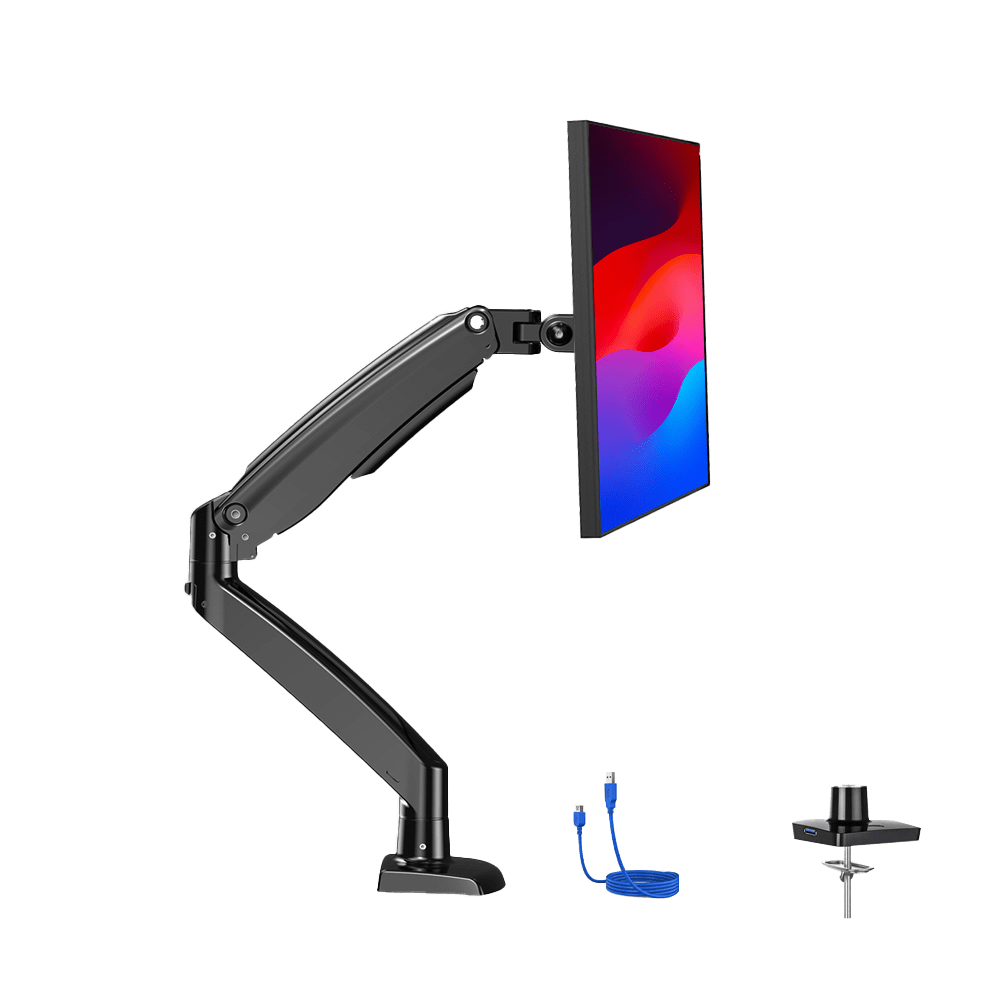
One honest alternative: at a fixed desk, an external monitor on an arm solves the height problem outright with a range no riser can match — see our monitor arm under $50 and home office monitor guides. A stand is the right answer when you move between locations, when desk space is tight, or when the laptop screen genuinely is your screen.
The 7 Best Laptop Stands, Ranked by How Much They Lift
Each section opens with the verdict, then the published specs behind it. Screen-lift figures come from the manufacturer’s own Amazon listing; where none is published we say so instead of quoting a third-party guess.
1. Nulaxy C5 Pull-Out Stand — Best for Getting the Screen Genuinely to Eye Level
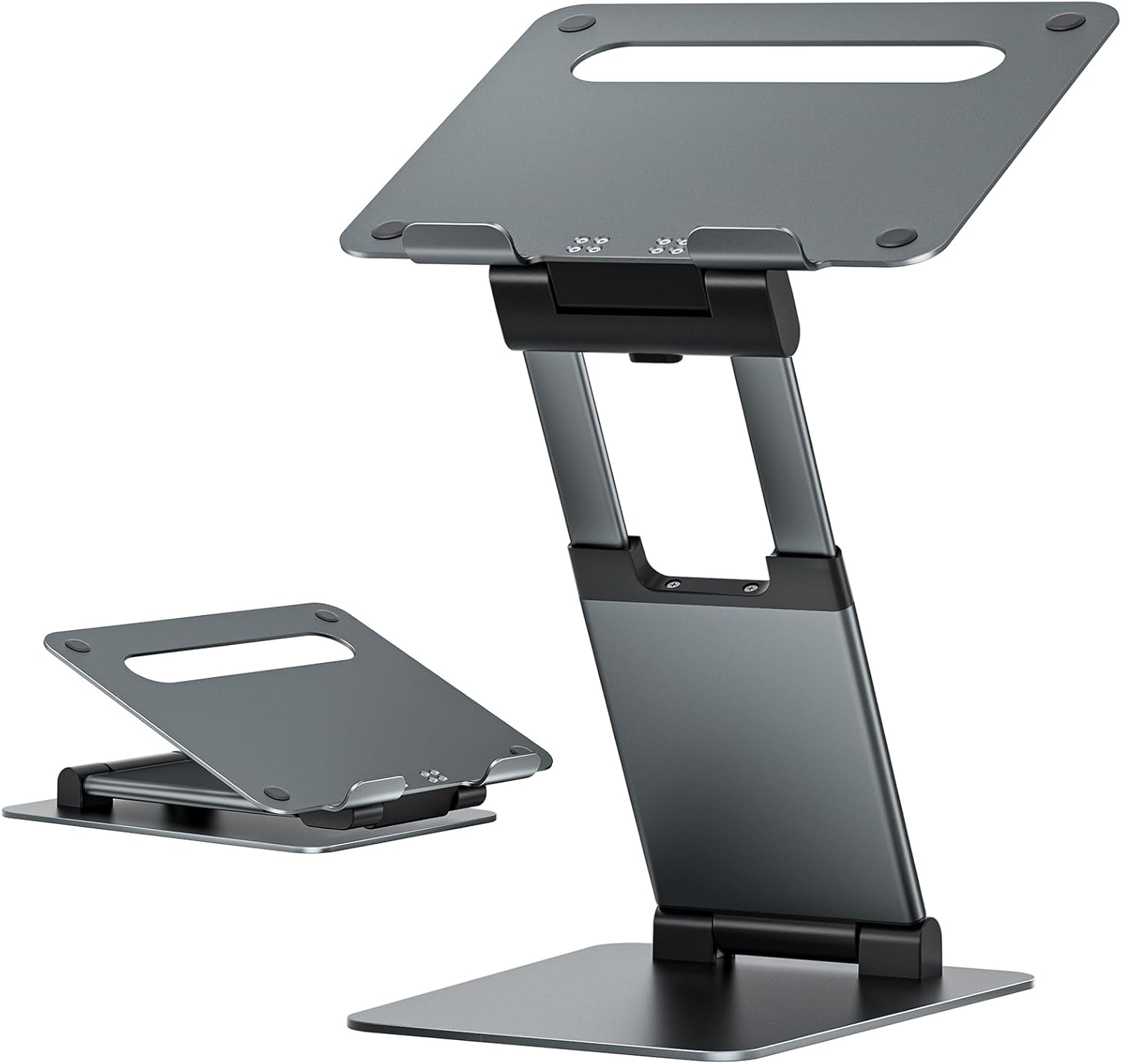
Verdict: The only stand here that clears the strict eye-level target for a tall adult. Nulaxy publishes 1.2″ to 20″, covering everything from a small tilt to a full standing conversion on an ordinary desk, at 22 lb capacity.
The mechanism is a retractable pull-out column rather than the hinged Z-frame cheap stands use, which is what buys the extra range. Nulaxy lists 10–17″ compatibility, 22 lb capacity, a vented aluminium top panel, two pivot joints for tilt, and a stand weight of 4.16 lb — heavy, which is what you want when the screen is 15 inches in the air. The trade-off is stability at full extension; treat the top of the range as a standing posture, not a typing-on-the-laptop one. For a proper standing setup rather than a converter, see our standing desks under $200 guide.
Pros
- Published 1.2″–20″ range — the only pick that reaches the strict eye-level target for tall users
- Doubles as a sit-stand converter without buying a second product
- 22 lb capacity covers 17″ gaming laptops
Cons
- Least stable of the group at full extension, as any tall single-column riser is
- At 4.16 lb it is not a travel stand
- Overkill if you are short or only want a few inches of lift
2. Rain Design mStand — Best Fixed Stand for a Permanent Desk
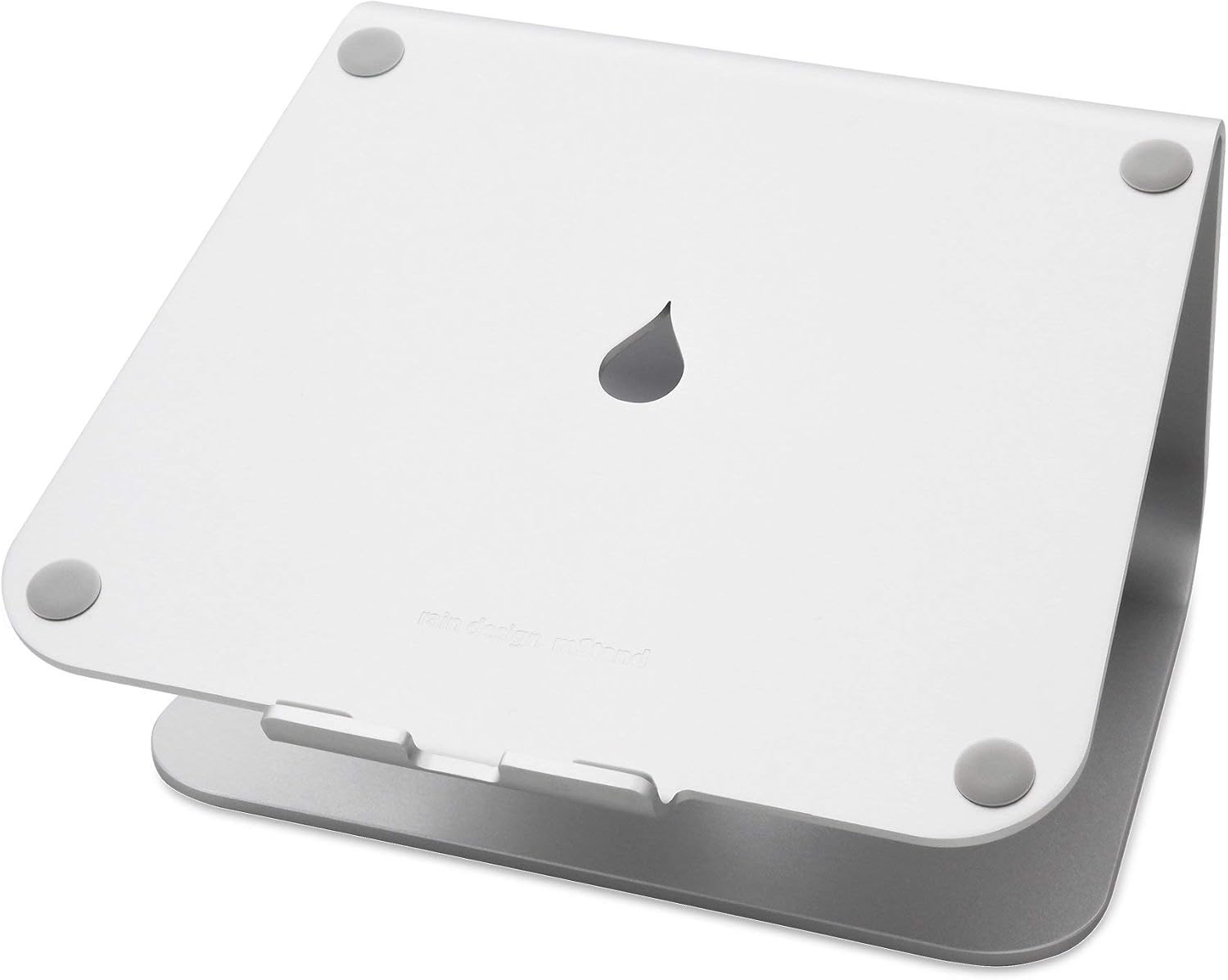
Verdict: A single piece of milled aluminium with a published 5.9″ lift and no moving parts at all — nothing to loosen, nothing to slip mid-sentence. The right pick if you sit at one desk every day and value permanence over range.
Rain Design publishes the numbers that matter: 5.9″ of lift, a 2″ cable hole at the back, and a chassis-depth limit of 10.4″ rather than a vague diagonal range — the more useful spec, because a 16″ MacBook Pro is about 8.9″ deep and fits while some deeper 17″ gaming chassis do not. The aluminium body doubles as a passive heat sink and the gap underneath stashes a keyboard.
Two honest limits: 5.9″ is the shortest lift here, so per the geometry above it suits shorter users and the viewing-angle target rather than the strict one; and it is the most expensive pick and does not fold or travel. What you are paying for is that it will be exactly as rigid in ten years.
Pros
- Zero moving parts — nothing to loosen over years of use
- Publishes a chassis-depth limit (10.4″), not just a diagonal range
- Aluminium body works as a passive heat sink
Cons
- Shortest published lift here at 5.9″
- Fixed height — no adjustment at all
- Most expensive pick in the guide and does not travel
3. Lamicall Swivel 360 — Best for Sharing Your Screen Across a Desk
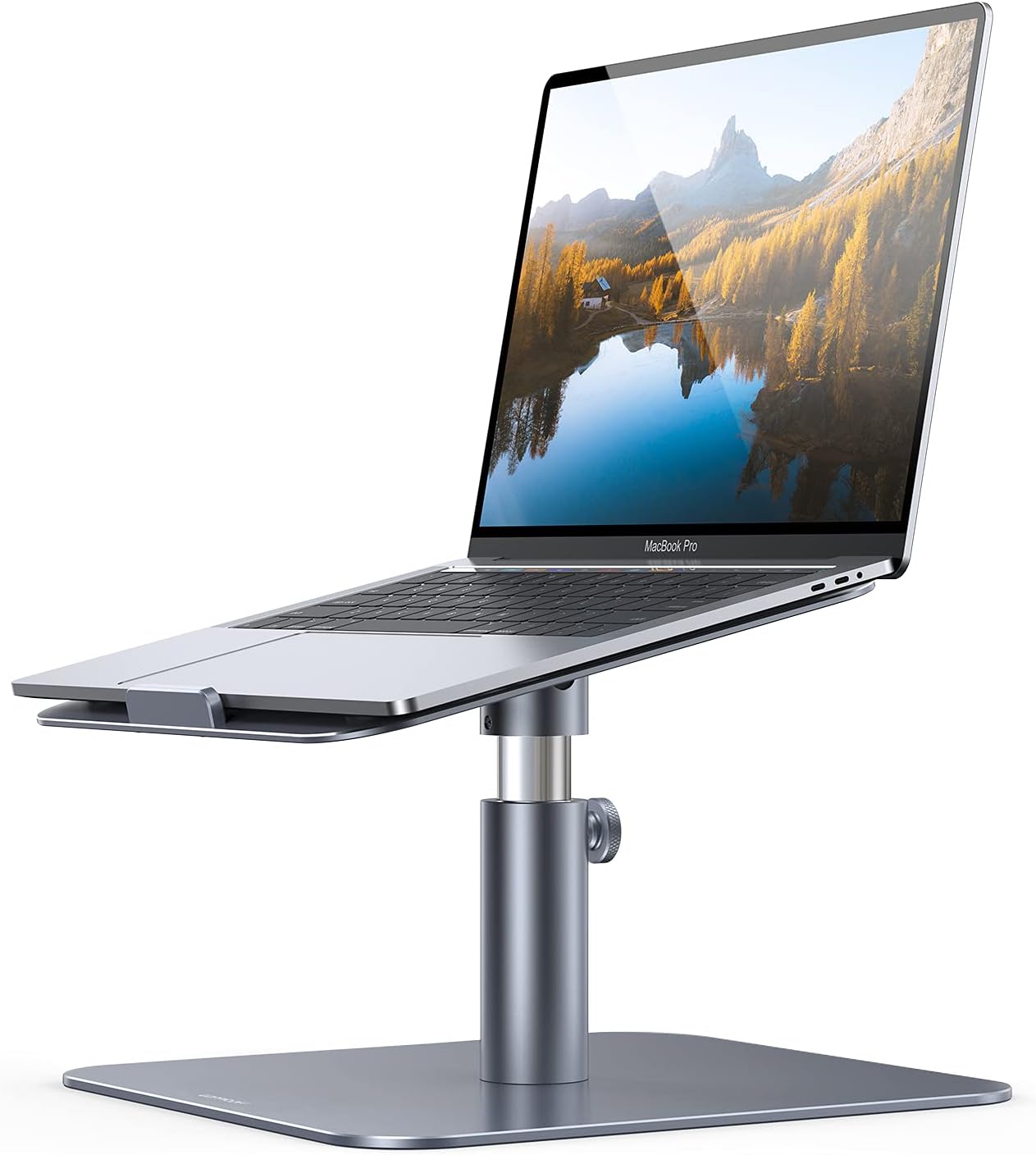
Verdict: Lamicall publishes 5.7″ to 8.1″ of adjustment on a rear knob, plus a 360° rotating base and 0–45° tilt. The 8.1″ maximum is the tallest of the conventional stands here, and the swivel earns its place if others look at your screen.
The rotating base is the reason to choose this over a cheaper fixed riser: turning a laptop toward someone otherwise means lifting it, unplugging cables or twisting your neck. Height is set by a rear knob rather than fixed notches, so you can land anywhere in the range instead of the nearest step. Lamicall quotes fit for 10–17″ laptops on a silicone-padded plate.
Where it falls down: Lamicall publishes no weight capacity for this model, a real gap when the whole assembly sits on a swivel bearing. With a 6 lb 17″ gaming laptop the 22 lb-rated Nulaxy C1 or Nulaxy C5 is safer. It also does not fold.
Pros
- 8.1″ published maximum — the tallest conventional stand here
- Continuous knob adjustment rather than fixed notches
- 360° base makes screen-sharing across a desk trivial
Cons
- No published weight capacity on the listing
- Does not fold — it lives on one desk
- A swivel bearing is one more thing that can develop play
4. Nulaxy C3 Full Aluminum — Best Fixed 7-Inch Riser That Packs Flat
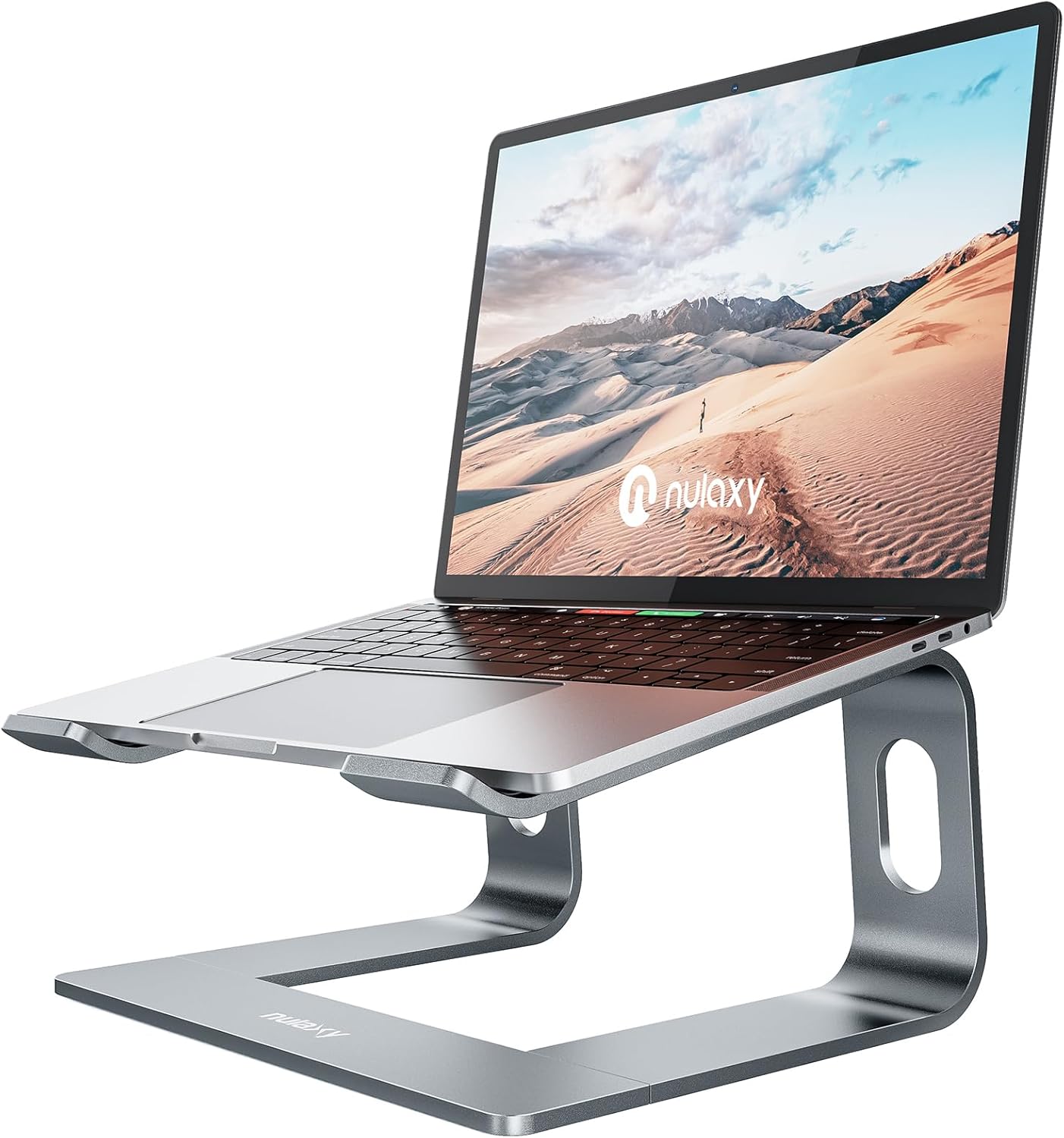
Verdict: The C3 splits the difference between a rigid pedestal and a travel stand: 7″ of published fixed lift, 5 mm aluminium alloy, 22 lb capacity, and tool-free disassembly so the parts lie flat in a bag. An inch more lift than the mStand, for less money.
Nulaxy publishes 7″ of elevation, a 10–16″ fit range, 22 lb capacity and 5 mm aluminium alloy with an open back for airflow. With no hinge or knob it behaves like a fixed pedestal — it cannot creep downward under a heavy laptop, the most common complaint about cheap adjustable stands — yet the CNC-cut parts pull apart for storage. Two things to check: the fit range stops at 16″, so 17″ gaming laptops sit outside the manufacturer’s own spec, and 7″ is fixed, so if the table above says you need 11″ this will not get you there.
Pros
- 7″ published lift — an inch more than the mStand
- Disassembles flat without tools, unlike other rigid stands
- 22 lb capacity on 5 mm aluminium alloy
Cons
- Fit range stops at 16″
- Fixed height with no adjustment
- Reassembly is a two-minute job, not a one-second fold
5. Lamicall LN09 Foldable — Best Laptop Riser for Travel and Hot-Desking
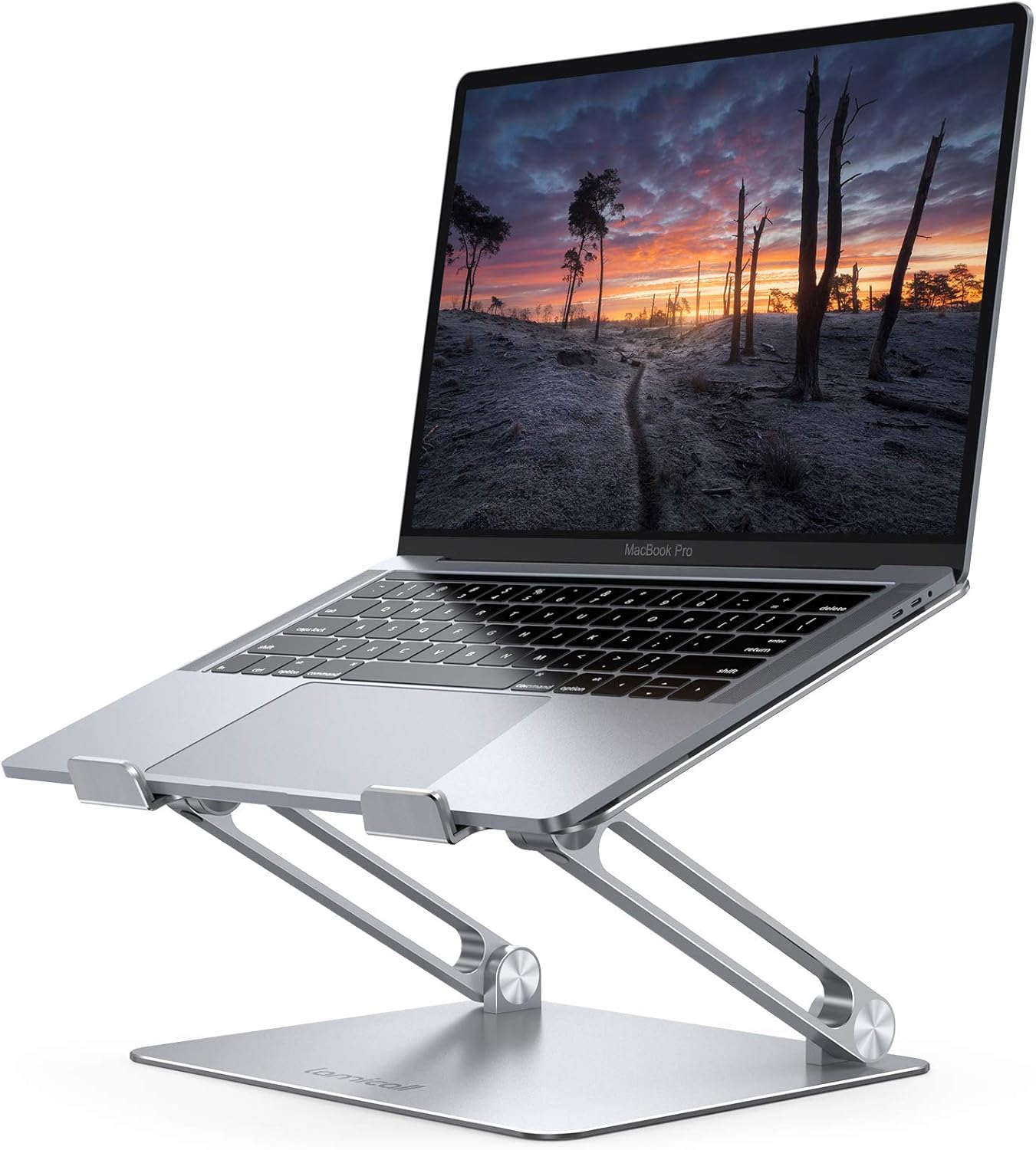
Verdict: Folds flat into a laptop sleeve, adjusts for height and angle, and uses a widened heavier base than earlier Lamicall folding stands specifically to stop the wobble that plagues the design. Fit range runs to 17.3″, the widest here.
Lamicall’s listing leads on the enlarged base, which is the right thing to lead on: a folding stand is a set of hinges, and hinges plus a narrow footprint is what makes a laptop rock when you type. Compatibility runs 10″ to 17.3″, with ventilation holes through the top plate and silicone pads on the chassis.
The gap in the spec sheet is the one that matters most here: Lamicall publishes no height range for the LN09. If you have worked out from the table above that you need a specific number of inches, you cannot verify this delivers it before buying — a genuine reason to choose the Lamicall Swivel 360 instead, which publishes 5.7″–8.1″. Pick the LN09 for portability and fit range, not for reaching a target height.
Pros
- Folds flat enough for a laptop sleeve
- Widest stated fit range in the guide at 17.3″
- Enlarged base directly addresses the folding-stand wobble problem
Cons
- No published height range — you cannot check it against your own geometry
- No published weight capacity either
- Hinged designs are inherently less rigid than a one-piece pedestal
6. Nulaxy C1 Dual-Rod — Best for Heavy 17-Inch Laptops That Make Stands Sag
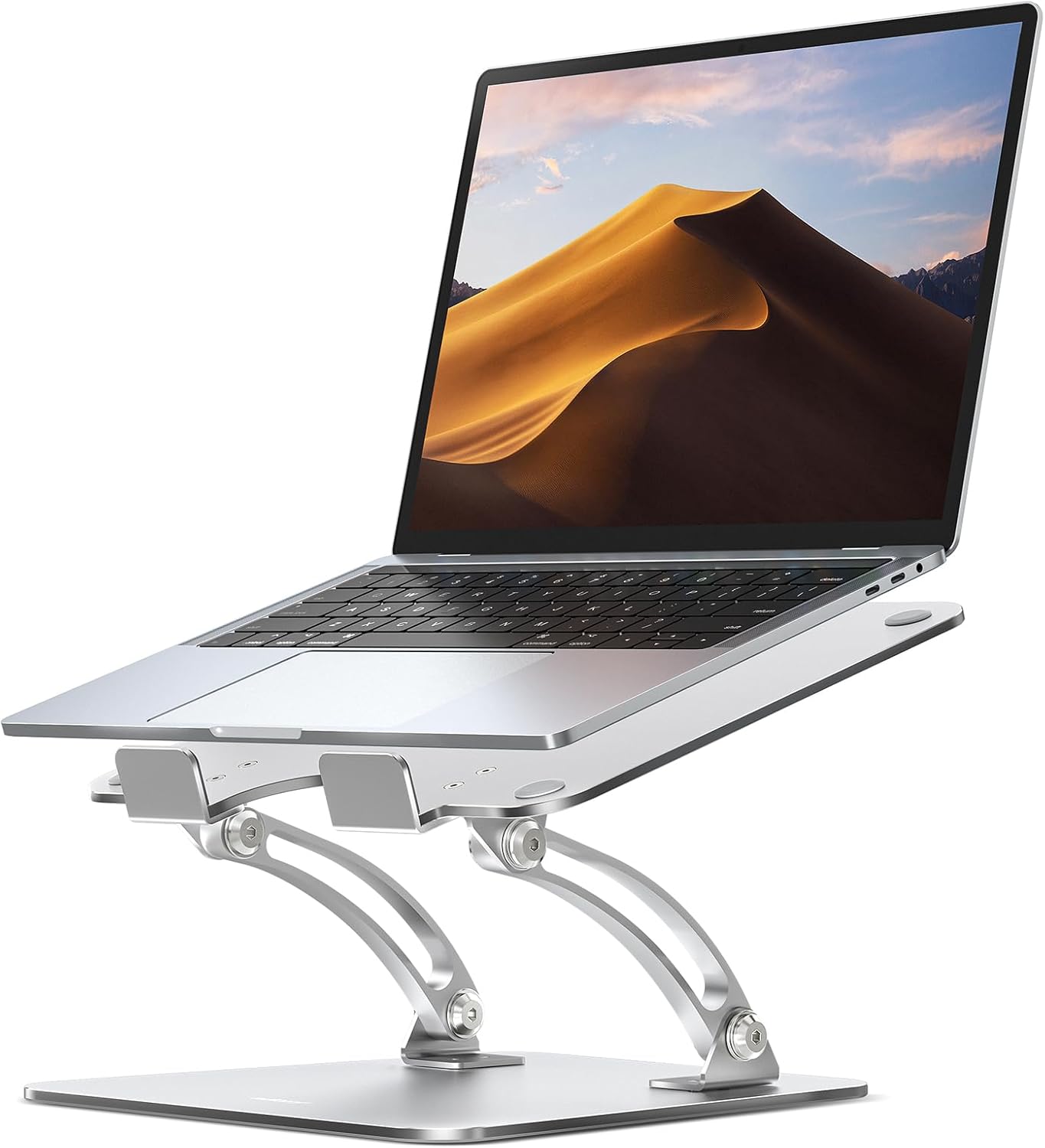
Verdict: The C1 uses dual support rods rather than the single hinge most folding stands use, spreading load across two points and aimed squarely at the sag-under-weight failure. Rated to 22 lb, fits 10–17″, still folds flat.
If you have owned a cheap folding stand and watched it settle under a heavy machine over a few weeks, the dual-rod mechanism is the specific answer. Nulaxy quotes 22 lb capacity, a 10–17″ fit range, a geometric heat-vent pattern for airflow, anti-slip pads and a fold-flat design; height and angle both adjust.
Same caveat as the LN09: Nulaxy publishes no numeric height range for the C1. Third-party sites quote figures that disagree with each other, so we repeat none of them. Buy the C1 for load capacity and fold-flat storage; if exact lift matters, buy something that publishes it.
Pros
- Dual support rods rather than a single hinge — directly targets sag under load
- 22 lb published capacity, fits up to 17″
- Folds completely flat for a backpack
Cons
- No published height range on the listing
- Adjustment is by hinge position, so it is less precise than a knob
- Aluminium finish scuffs more easily than the thicker C3
7. Amazon Basics Ergonomic Stand — Best Budget Laptop Riser
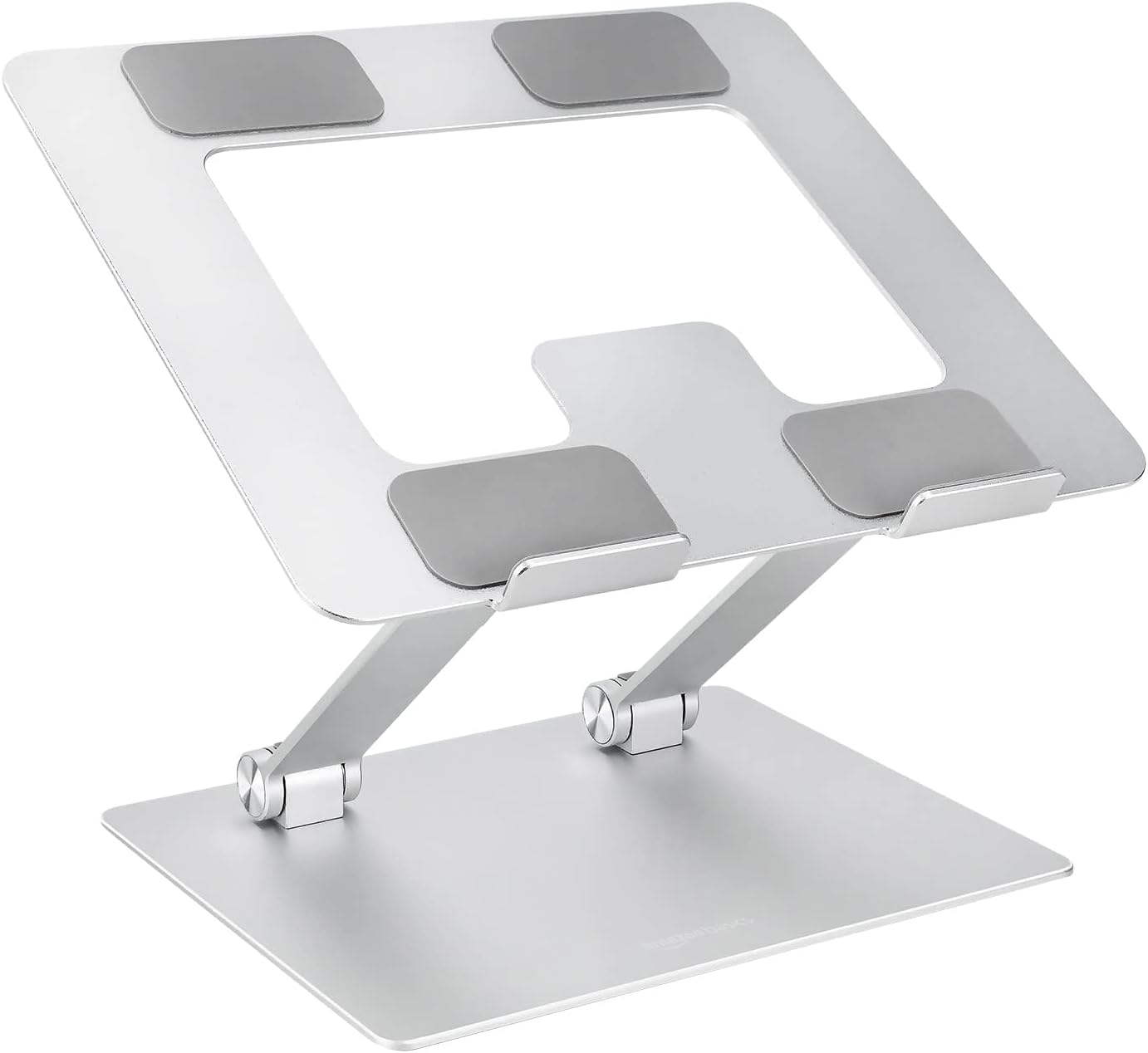
Verdict: Up to 7″ of published adjustment for the lowest price here, in aluminium rather than plastic, folding to 1.8″ and 1.7 lb. The limits are an 11 lb capacity and a 15.6″ fit ceiling — check both against your machine.
This is a Z-frame folding riser, and Amazon publishes the numbers most competitors at this price do not: up to 7″ of adjustment, a 10–15.6″ fit range, 11 lb capacity, rust-resistant aluminium, silicone pads with protective hooks, an open hollow design for airflow, and a folded size of 10 × 8.7 × 1.8″ at 1.7 lb. The 7″ maximum matches stands costing considerably more.
Two corrections, because this stand is widely mis-described: it is aluminium, not plastic, and capacity is 11 lb, not 20. Eleven pounds covers every mainstream laptop — a 16″ MacBook Pro is around 4.7 lb — but rules out using it as a monitor riser. The 15.6″ ceiling also excludes 16″ and 17″ machines.
Pros
- Up to 7″ of published lift at the lowest price here
- Aluminium construction, not plastic
- Folds to 1.8″ and 1.7 lb — the most portable pick
Cons
- 11 lb capacity — the lowest here
- Fit range stops at 15.6″, excluding 16″ and 17″ laptops
- Z-frame folding designs flex more than a solid pedestal
Which Laptop Stands Are Actually the Best Rated?
The best-rated laptop stands are not the ones with the highest star average — they are the ones whose rating history is deep, long-running and attached to a listing that has always sold the same product. That distinction matters more here than almost anywhere else on Amazon, because laptop risers are one of the most heavily white-labelled product types on the site.
Why a star average tells you very little here
A 4.6 average across 40,000 ratings and a 4.8 across 90 are not comparable numbers. The first has survived years of returns, shipping damage and hinge failures; the second is a small sample a few hundred early buyers can move by a tenth of a point. On a cheap accessory that second pattern is common, because a new seller can list a generic riser, gather a few dozen ratings and out-rank a decade-old product on raw average.
Two structural quirks make it worse. Rebadged white-label risers — the same aluminium Z-frame under a dozen brand names — build separate rating pools for what is physically one product, so the stars tell you nothing about which seller honours a warranty. And Amazon carries ratings across listing variations, so an average can include a different colour, size or even a different accessory.
Which picks here have genuinely deep rating histories
Judged on listing longevity and rating depth rather than star average, three stand out. The Rain Design mStand listing is the oldest in this guide by a wide margin — its ASIN dates from the 2000s, so its rating history spans multiple laptop generations, and Rain Design has never swapped the product underneath it. The Lamicall LN09 and Nulaxy C1 both carry rating counts in the thousands accumulated over several years under the same manufacturer, which is as close to a durable signal as this category offers.
The Amazon Basics stand is the interesting case: an Amazon-owned brand cannot quietly hand its listing to a different factory, so its ratings describe the product you will actually receive even though the listing is newer — a structural guarantee worth more than a tenth of a star. What none of this settles is whether a stand is tall enough for you. A top-rated riser that lifts your screen 5.9″ when you need 11″ is still the wrong purchase, which is why the geometry above comes first and the ratings second.
Should You Buy a Laptop Stand Now or Wait for a Deal?
Buy now. Laptop stands sit in the $20–60 accessory band as of August 2026, and accessories at that price historically move far less during the big US sale events than big-ticket electronics — typically a few dollars, often via an on-page coupon that comes and goes all year rather than an event discount. Waiting three months to save five dollars while working hunched is a bad trade.
Here is how the US calendar works, so this stays useful whenever you read it. Amazon runs two Prime events a year, the main one in July and a second in October — Prime Big Deal Days falls on 7–8 October 2026. Then come Black Friday on 27 November 2026 and Cyber Monday on 30 November 2026. Those are where the deepest discounts on laptops, monitors, TVs and standing desks land, because discount depth scales with ticket price and inventory risk. A retailer clearing $400 desks has margin and warehouse cost to play with; a low-cost aluminium riser has neither.
The one case for waiting: if you are buying several desk items at once — a desk, a monitor, a chair — time those for October or late November and add the stand to the same order. The savings come from the expensive items.
Who Should Not Buy a Laptop Stand
A laptop stand is the wrong purchase for three groups of people, and choosing carefully does not fix that. If you recognise yourself below, spend the money elsewhere.
You use an external monitor as your main screen
If you already look at a monitor all day and the laptop is a secondary display or a docked machine, you do not need an ergonomic stand — you need the laptop out of the way. A vertical dock that holds it closed on its edge frees more desk area than any riser, and if you want the laptop screen as a second display a cheap low riser beside the monitor is enough. Height is the monitor’s job; see our monitor arm guide.
You will not add an external keyboard
This is the honest disqualifier. Any meaningful lift puts the built-in keyboard at chest height, so without an external keyboard and mouse a tall stand makes your typing posture worse than the flat laptop it replaced. In that case buy a small 2–3″ wedge riser for cooling and a slight viewing improvement, not a 7″ ergonomic stand.
You mainly work from a sofa, bed or lap
None of these risers are designed for soft surfaces — they are desk products with rubber feet that assume a flat rigid plane. A lap desk with a rigid base is the right product instead.
What to skip within the category
- Active cooling stands with built-in fans. They add noise and a USB cable to solve what a vented aluminium plate and an open back already handle for office work. Every stand here is passively vented.
- Plastic Z-risers. A few dollars cheaper than the aluminium Amazon Basics and noticeably more flexible under a 4 lb laptop. No reason to choose one now.
- Listings quoting a folding-stand capacity above about 30 lb. That is a marketing number, and a reliable signal the rest of the spec sheet is unreliable too.
How to Choose a Laptop Stand: Measure Your Own Gap First
Spend sixty seconds measuring before you look at a single product photo. Sit in your normal posture, look straight ahead, and have someone mark the wall at your eye line. Measure that above the desktop, then subtract your open laptop’s screen-top height — roughly 7 to 9 inches. The remainder is the lift you need, and it eliminates most of the market immediately. Above 8 inches, only the Nulaxy C5 here reaches it and an external monitor may be the better answer.
Then check three things against your own machine rather than the listing’s headline range. Weight: a 16″ MacBook Pro is about 4.7 lb and a 17″ gaming laptop can exceed 6 lb, against an 11 lb ceiling on the Amazon Basics stand and 22 lb on the Nulaxy risers. Depth: diagonal size tells you little; the mStand’s published 10.4″ chassis-depth limit is the more useful number. Build type: one desk means a rigid pedestal like the Rain Design mStand or Nulaxy C3, because rigidity beats adjustability when you never adjust it; travelling means a folding design like the Amazon Basics stand or Lamicall LN09, and you accept some flex as the price.
Finally, order the keyboard in the same basket, not next month — otherwise you spend a month typing at chest height and conclude risers do not work. If desk space is now tight a USB hub keeps peripherals on one cable, and if the 29-inch desk is itself the constraint, see standing desks under $200.
Frequently Asked Questions
How high should a laptop stand raise your screen?
Aim to put the top of your screen at or slightly below your seated eye level. On a standard 29-inch desk that means roughly 6 inches of lift at 5′2″, about 8 inches at 5′6″, and 11 inches or more at 5′10″ and above, because an open 14-inch laptop’s screen top only reaches about 7.7 inches on its own. Most stands publish 5.9 to 7 inches, so they under-deliver for anyone of average height or taller. The more forgiving university-ergonomics target, which puts the screen centre 17–18 degrees below your eye line, is met by a 6-inch stand for shorter users.
Do I need an external keyboard and mouse with a laptop stand?
Yes, for any stand raising the screen more than about two inches. Once the laptop is elevated its built-in keyboard sits near chest height, and typing there forces your shoulders up and wrists into extension — trading a neck problem for a shoulder and wrist one. The keyboard has to come back down to the desk, so the real purchase is stand plus keyboard plus mouse, realistically the $50–120 band together as of August 2026 rather than the price of the stand alone. If you will not add a keyboard, buy a 2–3 inch wedge riser for cooling instead of a tall ergonomic stand.
Should I buy a laptop stand now or wait for Black Friday?
Buy now. Prime Big Deal Days falls on 7–8 October 2026 and Black Friday and Cyber Monday on 27 and 30 November 2026, but $20–60 accessories historically move only a few dollars at those events, often through on-page coupons that appear at random points in the year instead. Discount depth scales with ticket price, so the savings sit in laptops, monitors, chairs and desks. The exception: if you are buying several desk items at once, time the expensive ones for October or late November and add the stand to that order.
What is the best laptop stand for a standing desk?
One with a published range that extends well past the usual 7 inches, because on a standing desk the laptop screen still sits at chest height. The Nulaxy C5 publishes 1.2 to 20 inches and works as a sit-to-stand converter, covering both postures on one desk. The Lamicall Swivel 360 reaches a published 8.1 inches, which helps seated but is not enough standing. If you are converting a fixed desk a tall riser is the cheaper route; if you want the whole surface to move, buy a standing desk.
What is the best portable laptop stand for travel?
The Amazon Basics ergonomic stand folds to 1.8 inches and 1.7 pounds, the most packable combination here, and still offers up to 7 inches of published lift. The Lamicall LN09 also folds flat and takes laptops up to 17.3 inches, the widest fit range in this guide, though Lamicall publishes no height range for it. Both are aluminium. Avoid rigid pedestals for travel — the Rain Design mStand does not fold at all and the Nulaxy C3 has to be disassembled.
Which laptop stand is the best rated?
Judge rating depth rather than star average. A 4.6 across tens of thousands of ratings has survived years of returns and hinge failures; a 4.8 across ninety has not. Laptop risers are also one of the most heavily white-labelled categories on Amazon, so identical aluminium frames sold under different brand names each build separate rating pools that say nothing about who honours a warranty. On listing longevity the Rain Design mStand has by far the deepest history here, with the Lamicall LN09 and Nulaxy C1 next; the Amazon Basics stand is newer but cannot be quietly reassigned to a different factory. None of that tells you whether a stand is tall enough for you, which matters more.
Final Verdict: Which Laptop Stand Should You Buy?
Buy the Nulaxy C5 if you are average height or taller and want the screen genuinely at eye level — its published 1.2″ to 20″ range is the only one here that reaches the strict ergonomic target, and it converts to standing use as a bonus. Buy the Rain Design mStand if you work at one desk, are on the shorter side, and want a stand that will still be perfectly rigid in a decade.
For the middle ground the Lamicall Swivel 360 gives you a published 5.7″–8.1″ range plus a rotating base, and the Amazon Basics stand delivers up to 7″ in aluminium for the least money here — confirm your laptop is under 15.6″ and 11 lb first. Whatever you pick, order the external keyboard at the same time. That is the step that turns a screen riser into an actual ergonomic fix, and it is the one most buyers skip.
Related guides
Keep reading
As an Amazon Associate, Save & Upgrade earns from qualifying purchases. Prices and availability are accurate as of the date noted and are subject to change.
Leave a Reply