

In this guide
- How We Picked These Monitor Light Bars
- Monitor Light Bar Comparison: Specs Side by Side
- 1. Quntis ScreenLinear Glow — Best Monitor Light Bar Under $50 ⭐
- 2. Quntis ScreenLinear with Auto-Dimming — Best Budget Monitor Light Bar
- 3. OOWOLF Monitor Light Bar with Remote — Best Non-Quntis Alternative
- 4. Xiaomi Mi Computer Monitor Light Bar — Best Build, But Not Under $50 in the US
- The Clamp Measurement Trap: Check Your Top Bezel Before You Order
- When It’s Worth Going Over $50: the BenQ ScreenBar Line
- Should You Buy a Monitor Light Bar Now or Wait for a Sale?
- Monitor Light Bar vs Desk Lamp: Which Actually Fixes Eye Strain
- Who Should Not Buy a Monitor Light Bar
- Frequently Asked Questions
- Final Verdict: Which Monitor Light Bar Should You Buy?
- Related guides
Part of our Desk & Ergonomics guide — how to build a home office setup in the right order.
Quick Picks — Best Monitor Light Bars Under $50
Short version: buy the Quntis ScreenLinear Glow — the only bar under $50 pairing an Ra95 front light with a rear ambient backlight and a sliding clip that fits curved and thin-bezel monitors. Two of four picks are Quntis; here is why, and the alternative.
Best overall — Quntis ScreenLinear Glow (16.1″)
Ra95, 84 LEDs, 3000K–6500K front light + rear ambient backlight, wireless remote, USB-C. Listed under $50 as of Aug 2026.
Best budget — Quntis ScreenLinear with auto-dimming (15.7″)
Ra98, 78 LEDs, ambient sensor that holds your desk at ~900 lux. The only auto-dimming bar under $50. Around $35–45 (as of Aug 2026).
Best non-Quntis alternative — OOWOLF Monitor Light Bar with Remote (16.14″)
CRI≥95, 3100K–6500K, front light plus backlight, aluminium body, 59″ cable. Listed under $50 as of Aug 2026.
Best hardware, but not actually under $50 in the US — Xiaomi Mi Computer Monitor Light Bar
Ra95, 270 lm, 2700K–6500K, magnetic 40° pivot, 2.4GHz dial remote. Sells on amazon.com in the $60–70 band (as of Aug 2026), not the $30–40 it goes for in Asia. Full explanation below.
A monitor light bar clips to the top edge of your screen and throws light forward and down onto the desk, using an asymmetric lens so nothing bounces back off the panel. It is the single cheapest fix for the “my keyboard is in shadow and my screen looks washed out” problem, and under $50 now buys Ra95+ colour rendering, stepless dimming and a wireless remote — specs that cost $100+ three years ago.
This guide compares the monitor light bars that are actually in stock on amazon.com right now against published manufacturer specifications, verified-buyer reports and current retail pricing. It also covers the thing that causes most returns in this category and that almost no other guide mentions: whether the clamp physically fits your monitor’s top bezel.
How We Picked These Monitor Light Bars
We compared 11 monitor light bars listed under $50 on amazon.com against published manufacturer specifications, independent lab certifications, verified-buyer reports and current retail pricing. We do not claim hands-on testing — every number below traces to a spec sheet, a certification standard or a listing. Four filters removed most of the field:
- In stock on amazon.com, today. Not a formality: the Baseus i-Wok Pro that most “best of” lists still name as the budget champion is marked Currently unavailable — we don’t know when or if this item will be back in stock on its US listing as of August 2026. It is off this list for that reason alone.
- A published CRI figure of Ra90 or better. Bars advertising “high colour rendering” without a number are guessing, and Ra80 LEDs make documents and skin tones on video calls look grey.
- A published clamp specification. A bar that will not stay on your monitor is worth nothing, and this is the category’s most common return reason.
- Asymmetric optics stated by the manufacturer, not implied. Several sub-$25 listings are LED strips with a clip glued on; they light the screen, not the desk.
We did not rank on brightness. Every bar here is bright enough for a desk; what separates them is colour accuracy, how the light is controlled, and whether the clip fits your monitor. Two shorthand rules if you go looking beyond this list: 2700K–6500K is the colour-temperature span worth having (warm enough for late nights, daylight-equivalent for detail work — only the Xiaomi reaches 2700K here), and stepless dimming beats fixed presets, because three levels always leave the brightness you actually want between two of them.
Monitor Light Bar Comparison: Specs Side by Side
The Quntis ScreenLinear Glow wins on features per dollar; the auto-dimming Quntis is the only bar under $50 with an ambient light sensor; the OOWOLF is the pick if you would rather not buy two products from one brand; the Xiaomi is the best-built bar here but sells above $50 in the US.
| Model | CRI | Colour temp | Power | Control | Clamp fit (published) | Best for | Buy |
|---|---|---|---|---|---|---|---|
| Quntis ScreenLinear Glow 16.1″ ⭐ | Ra95, 84 LEDs | 3000K–6500K, stepless | USB-C, 5V/1A | Wireless remote / top dial | Sliding counterweight clip, two adjustment points; curved supported | Best overall under $50 | Check Price → |
| Quntis ScreenLinear auto-dimming 15.7″ | Ra98, 78 LEDs | 3000K–6500K, stepless | USB | On-bar touch + ambient sensor | Weighted clip, flat monitors | Best budget / only auto-dimming | Check Price → |
| OOWOLF Monitor Light Bar with Remote 16.14″ | CRI ≥95 | 3100K–6500K, stepless | USB, 59″ cable | Wireless remote | Not published — measure first | Best non-Quntis alternative | Check Price → |
| Xiaomi Mi Computer Monitor Light Bar | Ra95, 270 lm | 2700K–6500K | USB-C, 5W | 2.4GHz dial remote | 1–32mm; under 10mm needs hand support when tilting | Best build — but $60–70, not under $50 | Check Price → |
| BenQ ScreenBar (reference — over budget) | CRI >95 | 2700K–6500K, 8 steps | USB-A | On-bar touch + ambient sensor | 0.4″–1.2″ (10–30mm); curved 1500R and above | The category benchmark | Check Price → |
Specs come from each manufacturer’s published listing as of August 2026. Prices in this category move constantly — use the Check Price links for the live figure.
1. Quntis ScreenLinear Glow — Best Monitor Light Bar Under $50 ⭐
The Quntis ScreenLinear Glow is the best monitor light bar under $50 for most desks. It is the only bar in the price band combining an Ra95 front light, a separate rear ambient backlight, stepless dimming across 3000K–6500K, a wireless remote and a sliding counterweight clip that handles curved and ultra-thin-bezel monitors. Nothing else under $50 does all five.
Published specs
- Length: 16.1″ (41 cm) — suits 24–27″ monitors
- CRI: Ra95, from 84 LED beads
- Colour temperature: 3000K–6500K on the front light, stepless via long-press
- Backlight: separate rear ambient light, brightness-adjustable only
- Power: USB-C, 5V/1A source
- Control: wireless remote / top dial, with memory function after a power cut
- Mount: patented sliding weighted clip, two adjustment points; aluminium, 1.5 lb
- Price: listed under $50 as of Aug 2026 — check current price
Why it wins
The clip is the reason to buy this one. Most counterweight clamps are a fixed hook — the arm hangs behind the panel and gravity does the rest, which works on a chunky 2018 monitor and badly on a 2024 panel with a 7 mm top edge or any curve. Quntis splits the job into two adjustments: pull the front support forward to match a curve, then slide the rear weight to set the gap for your panel’s thickness. Quntis’s listing FAQ confirms curved-monitor support explicitly, which most brands in this band will not put in writing.
The rear ambient backlight is the second differentiator. It washes the wall behind the monitor, lowering the contrast between a bright screen and a dark room — and that contrast ratio, not screen brightness alone, is what makes evening screen work feel harsh. Bars this cheap rarely include a rear light, and those that do are usually RGB gaming strips with poor front-side colour rendering. Ra95 across 84 beads is the third: more emitters over the same 41 cm means fewer hot spots under your hands.
The trade-offs. The backlight adjusts brightness only, so you cannot warm it at night the way you can the front light. It wants a 5V/1A USB-C source; a low-power port on an older monitor may not drive it to full brightness without an adapter. At 1.5 lb it is also the heaviest bar here.
Verdict: the safest pick under $50. Buy this unless you specifically want automatic dimming or specifically want a different brand.
2. Quntis ScreenLinear with Auto-Dimming — Best Budget Monitor Light Bar
The auto-dimming Quntis ScreenLinear is the best budget monitor light bar because it is the only model under $50 with a real ambient light sensor. It reads the room and holds your desk at roughly 900 lux automatically, a feature that otherwise starts at the $90–110 BenQ ScreenBar. It also carries the highest published CRI here at Ra98. Around $35–45 (as of Aug 2026).
Published specs
- Length: 15.7″ (0.78″ deep, 0.78″ tall), 500 g aluminium
- CRI: Ra98, from 78 LED beads — the highest published figure in this guide
- Colour temperature: 3000K–6500K, stepless dimming
- Auto-dimming: built-in ambient light sensor targeting ~900 lux on the desk surface
- Blue light: certified to IEC/TR 62778 and IEC/EN 62471
- Control: on-bar touch, no remote; weighted clip, flat monitors
- Listing standing: #1 Best Seller in Amazon’s USB Reading Lights category at the time of writing
- Price: $35–45 (as of Aug 2026)
Why it wins
900 lux is the number that matters. Office lighting standards put general desk work at 300–500 lux and detailed work at 750–1,000, so a sensor holding the surface near 900 lux is targeting the top of the recommended range rather than an arbitrary brightness. In practice the bar dims as afternoon sun comes through the window and brightens again at dusk without you touching it. On every other bar under $50 you set a level in the morning and it stays wrong all day, because changing it costs a deliberate reach over the monitor.
The trade-offs. No remote, which partly defeats the auto-dimming convenience if you also change colour temperature through the day. The clip is described for flat monitors with no curved-screen claim, so treat it as flat-panel only. And there is no rear backlight.
Verdict: the value pick. If you mostly want the light to be correct without managing it, this beats the Glow despite the shorter feature list.
3. OOWOLF Monitor Light Bar with Remote — Best Non-Quntis Alternative
The OOWOLF Monitor Light Bar with Remote is the pick if you would rather not buy two products from the same brand, or if the Quntis models are out of stock. It matches the Glow’s core feature set — CRI ≥95, stepless dimming, a wireless remote and a rear backlight — in an aluminium 16.14″ body, and adds the longest cable here at 59″.
Two of our four picks being Quntis is worth explaining. Quntis simply owns this price band right now, the way Anker owns budget power banks, and pretending otherwise to look balanced would give you worse advice. But brand concentration is a real risk — one supplier’s quality-control slip takes out both recommendations at once. The OOWOLF is on this list so there is a verified, independently-branded option covering the same job.
Published specs
- Length: 16.14″ × 0.79″ × 0.79″, polished aluminium
- CRI: ≥95 · Colour temperature: 3100K–6500K, stepless
- Lighting: front task light plus rear backlight; flicker-free
- Control: wireless remote · Cable: 59″ USB
- Price: listed under $50 as of Aug 2026 — check current price
Why it earns a slot
The 59″ cable sounds trivial until you route one. Most bars ship 39–47″, which reaches a port on the back of the monitor and nothing else. If your monitor has no spare USB port — common on budget panels and on anything driven by HDMI — you are running down to a hub or wall charger, and five feet is the difference between a tidy route and a taut one.
The trade-offs. The 3100K warm floor is the one place OOWOLF trails: Xiaomi and BenQ both reach 2700K, which is noticeably warmer at night. More importantly, OOWOLF does not publish a clamp thickness range — the one spec you most want in writing here. Its listing claims “all types of screens”, which is marketing, not a measurement. Measure your top bezel first.
Verdict: a legitimate alternative rather than a compromise. Buy it if the Quntis pair is unavailable or if you want to spread brand risk.
4. Xiaomi Mi Computer Monitor Light Bar — Best Build, But Not Under $50 in the US
The Xiaomi Mi Computer Monitor Light Bar is the best-engineered bar in this comparison and it does not belong on an under-$50 list in the United States. On amazon.com it sits in the $60–70 band (as of Aug 2026) — roughly double what it sells for in the markets it was designed for. It is here because people search for it by name, and the honest answer is worth more than a silent omission.
Published specs
- Body: 448 mm aluminium · CRI: Ra95
- Output: 270 lumens, 5 W from 80 × 0.2 W LEDs
- Colour temperature: 2700K–6500K — the widest range here
- Power: USB-C; wakes with the computer when connected to a PC port
- Control: 2.4 GHz wireless dial — rotate for brightness, press for colour temperature
- Mount: magnetic pivot with a 40° adjustable axis; rated for monitors 1–32 mm thick, curved screens included
- Price: $60–70 (as of Aug 2026) on amazon.com
What it does better — and the US availability problem
The magnetic pivot is genuinely better hardware than anything else here. Instead of a friction hinge you loosen and retighten, the bar rotates through a 40° arc on a magnetic axis and holds wherever you leave it — aiming the beam takes a second and no tools. With a 1–32 mm clamp range and a physical dial remote, it is the most pleasant of these bars to live with.
The catch is the listing situation. The Xiaomi Mi Computer Monitor Light Bar appears on amazon.com under at least six separate ASINs with near-identical titles, most from third-party importers rather than a Xiaomi-managed listing — there is no first-party US storefront for it. That is why the US price sits at $60–70 (as of Aug 2026) while the same product retails around $30–40 in Asia and Europe, and why stock, packaging and warranty terms vary between listings. Verify the seller and return window on whichever one you open.
Xiaomi’s documentation also carries a caveat the marketing does not: the bar installs on monitors under 10 mm thick, but you must support it by hand while adjusting tilt, because the counterweight has too little to grip.
Verdict: buy it if you want the best hardware and $60–70 is acceptable. If the under-$50 ceiling is the point, the Quntis ScreenLinear Glow gets you most of the experience for meaningfully less.
The Clamp Measurement Trap: Check Your Top Bezel Before You Order
The most common reason a monitor light bar gets returned is not brightness or colour — it is that the clamp will not sit on that particular monitor. Measure two things before you buy: the thickness of your panel at the top centre, and the clearance behind it. Both have published limits, and both are easy to get wrong.
Published clamp ranges, side by side
| Model | Published thickness range | Minimum | Curved monitors | Buy |
|---|---|---|---|---|
| BenQ ScreenBar | 0.4″–1.2″ (10–30 mm) | 10 mm — a hard floor | Yes, 1500R and above | Check Price → |
| Xiaomi Mi Monitor Light Bar | 1–32 mm | Installs under 10 mm, but must be hand-supported while tilting | Yes, 40° adjustable axis | Check Price → |
| Quntis ScreenLinear Glow | Sliding clip, two adjustment points — no fixed range published | Stated for ultra-thin bezels | Yes — pull the front support forward | Check Price → |
| Quntis ScreenLinear auto-dimming | Weighted clip, no range published | Not stated | Not claimed — assume flat only | Check Price → |
| OOWOLF Monitor Light Bar | Not published | Not stated | “All types of screens” claimed, not specified | Check Price → |
Trap 1: the minimum, not the maximum
Almost everyone checks whether their monitor is too thick. In 2026 the problem is the opposite. BenQ publishes a 10 mm minimum on the ScreenBar, and many current thin-bezel panels measure 6–9 mm at the top edge. A counterweight clamp needs material to pinch and a lever arm to hang from; below its minimum it either will not grip or it tips forward under the bar’s own weight. Xiaomi is more candid than most — its documentation says the bar installs below 10 mm but must be held by hand while you adjust the angle. If your panel is under 10 mm at the top, a sliding-clip design like the Quntis Glow is the safer buy, because the rear weight position adjusts rather than being fixed.
Trap 2: measure the top centre, not the housing
Monitors taper. The thickest point is the lower housing where the electronics and stand mount live — often 40–60 mm — while the top edge the clamp sits on can be a third of that. Measuring the wrong place is how people buy a bar rated to 30 mm for a panel whose top edge is 8 mm. Put a ruler on the very top edge, at the centre of the screen, front to back.
Trap 3: rear clearance is the hidden dimension
Every bar here hangs a counterweight behind the panel, typically 30–50 mm below the top edge and 15–25 mm out from the back. Three setups routinely have no room: a VESA arm whose plate sits near the top of the panel (lower it a hole or two if the arm allows), a wall-mounted monitor pushed flush, and a strongly curved rear housing, where the weight rests on a slope and the bar creeps forward over a few days. If a monitor arm is also on your list, check both clearances together — our guide to the best monitor arms under $50 covers the mounting geometry.
Trap 4: curvature radius is a number, not a yes/no
“Works with curved monitors” means nothing without the radius. BenQ specifies 1500R and above — the higher the number, the flatter the curve — so an 1800R panel is fine and a 1000R gaming panel is not. Aggressive gaming curves cluster at 1000R and 1500R, exactly where a flat-bottomed clamp contacts the panel at two points and rocks. The Quntis Glow’s pull-forward front support is designed for this; a fixed clamp is not.
When It’s Worth Going Over $50: the BenQ ScreenBar Line
Spend more than $50 only if you want automatic dimming with a refined optical design and a metal build that outlasts the panel it clips to. The original BenQ ScreenBar sits at $90–110 (as of Aug 2026) against an MSRP of $109 — roughly triple the Quntis Glow — and what you buy is consistency, not a longer feature list.
BenQ created this category and the ScreenBar’s published numbers are still the reference points: CRI above 95, 500 lux delivered evenly across a 23.6″ × 11.8″ (60 × 30 cm) desk area, 2700K–6500K in eight steps, an ambient sensor, and a patented counterweight clamp rated 10–30 mm with explicit 1500R curved support. BenQ rates the LED for about 17 years at eight hours a day. It is USB-A powered, worth knowing if your desk has gone all-USB-C.
The honest comparison is that the $35–45 Quntis pair gets you most of that. Where BenQ still leads is beam evenness across the full bar length and the finish of the clamp mechanism. Whether that is worth $60 more depends on how many hours a day you sit under it.
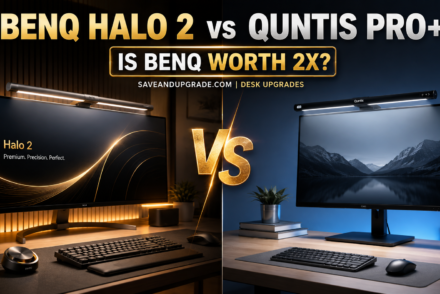
If you are weighing the step up, the two bars actually worth comparing at the top of the range are BenQ’s current flagship and Quntis’s — we put them head to head in BenQ ScreenBar Halo 2 vs Quntis Pro+, which covers whether the extra money buys anything you will notice.
Should You Buy a Monitor Light Bar Now or Wait for a Sale?
Buy now if you are spending under $50. This is one of the categories where waiting for a sale event does almost nothing: the sub-$50 bars are priced by near-permanent clip coupons rather than by the calendar, so the October or November “deal” is usually the price already available today. The one wait worth making is at the premium end.
The 2026 calendar, and what each event actually does to this category
| Event | 2026 date | Does it move sub-$50 light bars? | Does it move BenQ? |
|---|---|---|---|
| Prime Big Deal Days | 7–8 October | Rarely — the coupon is usually already there | Sometimes, smaller than November |
| Black Friday | 27 November | Rarely — same coupon, new badge | Yes — BenQ’s largest event of the year |
| Cyber Monday | 30 November | Rarely | Yes, usually a continuation of Friday |
| Back-to-school | late July – early September | No | Modestly — BenQ runs a productivity promotion in this window |
Why cheap light bars do not discount, and expensive ones do
It is a margin question, not a demand question. A $35 bar from a direct-to-Amazon brand is already running a clip coupon most weeks of the year — that is its promotion, and it runs continuously because the brand competes on the listing page rather than on the calendar. There is no second discount hiding behind November. A $109 BenQ ScreenBar or a $199 ScreenBar Halo 2 has room to move, sells through conventional retail as well as Amazon, and BenQ publishes Black Friday and Cyber Monday as its largest sale event of the year, with cuts on selected models reaching the 25–30% range. That is a real reason to wait; a sub-$50 bar is not.
A second reason the calendar matters less here: this category’s price band has been stable through 2026. Light bars contain a strip of LEDs, a driver and an aluminium extrusion — no DRAM, no NAND, no CPU — so the memory shortage that is pushing laptop and prebuilt PC prices up this year does not touch them. If you are timing a whole desk refresh, the computer is the part with a clock on it, not the lamp.
What waiting actually costs you
Three months of squinting, and the risk that the specific model disappears. Stock volatility is the real cost in this category, not price: the Baseus i-Wok Pro that most guides still name as the budget champion went to Currently unavailable on its US listing and has stayed there, and Quntis and OOWOLF rotate SKUs faster than BenQ does. A bar you have researched and can buy today is worth more than a hypothetical few dollars off a listing that may be replaced by a differently-numbered model before November.
The rule that survives whatever month you are reading this in: in this category, price-track the item rather than the date. If your pick is under $50, buy when you need it. If you have decided you want the BenQ line, set a price alert and let the last week of November come to you — that is the single window where this category reliably moves.
Monitor Light Bar vs Desk Lamp: Which Actually Fixes Eye Strain
A monitor light bar fixes the specific problem a desk lamp causes. Both add light to the desk; only the light bar does it without putting a reflection on the panel or a bright source in your peripheral vision. If your complaint is glare, reflections or a washed-out screen, the light bar is the right tool. If you need to light a whole room, it is not.
The mechanism is contrast, not brightness. Eye fatigue at a desk comes mostly from the ratio between a bright screen and a dark surround, so lighting the desk raises the surround and your pupils stop cycling every time you look from screen to keyboard. The asymmetric lens is what makes that possible from directly above the screen: the beam goes forward and down at roughly 45°, landing in front of the panel rather than on it. It is also why bars with a rear ambient backlight (the Quntis Glow, the OOWOLF) help more in a dark room than their output figures suggest.
When the lamp still wins: paper documents off to one side, craft or repair work, anything needing light somewhere other than directly in front of the screen, or a laptop with no external monitor to clip to. If glare is the core complaint, blue light blocking glasses address a different part of the same problem and the two stack.
Who Should Not Buy a Monitor Light Bar
Skip it if any of these describe you — the bar will either not fit or not solve your problem, and this is the cheapest place to find that out.
- You use a laptop with no external monitor. There is nothing to clip to. A small desk lamp or a clip light on a shelf is the correct product.
- Your monitor’s top edge measures under 8 mm and you cannot tolerate a wobble. Sliding-clip designs cope better than fixed clamps, but no counterweight bar is truly happy on a razor-thin panel.
- Your monitor is wall-mounted flush, or the arm’s mount sits near the top of the panel. The counterweight needs 30–50 mm of clearance behind the screen.
- Your room is already brightly and evenly lit. The bar’s job is raising the surround relative to the screen. In a bright office you will turn it off.
- You have a 1000R curved gaming monitor and want a fixed-clamp bar. Check the published radius rating first; only a clamp designed to pull forward will sit flat.
- You want RGB ambient lighting for a gaming setup. Buy a bar designed for it, not a task light with a white backlight. Different product.
One more honest note: if the real complaint is that the screen sits too low and your neck hurts, no amount of lighting fixes it. That is a laptop stand or a desk height problem, and it is worth solving first.
Frequently Asked Questions
What about the Xiaomi Mi monitor light bar — can you buy it in the US?
Yes, it is sold on amazon.com, but it is not an under-$50 product in the United States. It sits in the $60–70 band (as of Aug 2026) versus roughly $30–40 in Asia and Europe, because it is listed by third-party importers across at least six near-identical ASINs rather than by a Xiaomi-run US storefront. The hardware is excellent — Ra95, 2700K–6500K, a magnetic 40° pivot, a 1–32 mm clamp range — but at that price the Quntis ScreenLinear Glow is better value.
What is the best budget monitor light bar under $50?
The Quntis ScreenLinear with auto-dimming, at around $35–45 (as of Aug 2026). It is the only bar under $50 with a real ambient light sensor — it holds the desk near 900 lux automatically — and it publishes the highest CRI here at Ra98 across 78 LEDs, plus IEC/TR 62778 and IEC/EN 62471 blue-light certification. The trade-off is no remote and no rear backlight; for either, step up to the Quntis ScreenLinear Glow.
Will a monitor light bar fit a curved monitor?
Only if the manufacturer publishes a curvature rating — “works with curved monitors” without a number is not a specification. BenQ rates the ScreenBar for 1500R and above, so an aggressive 1000R gaming panel is outside that. The Quntis ScreenLinear Glow handles curves differently: its front support pulls forward independently of the rear counterweight, so the clip meets the curve at the right angle. On a fixed flat-bottomed clamp, a curved panel touches at two points and the bar rocks.
How thick does my monitor’s top bezel need to be?
Roughly 10–30 mm for most fixed clamps. BenQ publishes 0.4″–1.2″ (10–30 mm) and Xiaomi 1–32 mm, though Xiaomi notes that below 10 mm you must support the bar by hand while adjusting tilt. Measure the very top edge at the centre of the screen, front to back — not the thicker lower housing, which is where most people measure and why bars get returned as “wrong size”. Also check for 30–50 mm of clearance behind the panel for the counterweight.
Do monitor light bars flicker or use PWM dimming?
Good ones do not, but check the certification rather than the marketing. Cheap LED drivers dim by pulsing the LED on and off (PWM); at low frequencies that is invisible but is associated with headaches over long sessions. Every pick here publishes a flicker-free claim, and the auto-dimming Quntis backs it with IEC/TR 62778 and IEC/EN 62471, the published photobiological safety standards for lamps.
Is a monitor light bar better than a desk lamp?
For desk work in front of a screen, yes. A light bar’s asymmetric lens throws light forward and down at roughly 45°, so the beam lands on the keyboard and desk and never on the panel — which removes the reflections and washed-out screen a side-mounted lamp causes. It also uses no desk space and runs on 3–7 W from a USB port. A desk lamp is still better for lighting a wider area, for paper work away from the screen, or for a laptop with no external monitor to clip to.
Final Verdict: Which Monitor Light Bar Should You Buy?
Buy the Quntis ScreenLinear Glow. It is the only monitor light bar under $50 combining Ra95 colour rendering, a rear ambient backlight, a wireless remote and a clip that adjusts for both curvature and panel thickness. The auto-dimming Quntis is the better buy if you would rather never touch the controls; the OOWOLF is there if you want a different brand.
- Best overall → Quntis ScreenLinear Glow: Ra95, front + rear lighting, remote, USB-C, most adaptable clip here.
- Best budget → Quntis ScreenLinear with auto-dimming ($35–45, as of Aug 2026): the only ambient sensor under $50, and the highest published CRI here at Ra98.
- Best non-Quntis pick → OOWOLF Monitor Light Bar with Remote: CRI ≥95, backlight, remote, 59″ cable. Measure your bezel — no clamp range published.
- Best hardware, over budget → Xiaomi Mi Computer Monitor Light Bar ($60–70, as of Aug 2026): magnetic 40° pivot, 2700K–6500K, 1–32 mm clamp. Genuinely nicer, genuinely not under $50 in the US.
- The benchmark → BenQ ScreenBar ($90–110, as of Aug 2026): auto-dimming, 500 lux over a 60 × 30 cm area, 10–30 mm clamp, 1500R curved support.
Whichever you choose, measure your monitor’s top edge and the clearance behind it before you order. That one check prevents most returns in this category and takes thirty seconds.
Building the rest of the setup? See our guides to the best monitor arms under $50, best home office monitors under $300 and best standing desks under $200 — screen height, screen quality and desk lighting decide how a desk feels after four hours.
As an Amazon Associate I earn from qualifying purchases. Prices and availability change constantly; figures given as bands are accurate as of August 2026 and should be confirmed on Amazon before you buy.
Related guides
Keep reading
As an Amazon Associate, Save & Upgrade earns from qualifying purchases. Prices and availability are accurate as of the date noted and are subject to change.
Leave a Reply