

In this guide
- Quick Picks: Best Standing Desk Under $200
- Standing Desk Under $200: Full Comparison
- Is a $200 Amazon Standing Desk Worth It?
- How We Picked
- What a Standing Desk Under $200 Actually Buys: Three Price Tiers
- Stability and Wobble at Standing Height
- Which Picks Take a Monitor Arm: Published Top Thickness
- Assembly Reality: Tools, Time and What Actually Arrives
- Standing Desk Converter vs. Full Desk Under $200
- 1. FEZIBO 48×24 Electric — Best Overall Value
- 2. FlexiSpot EN1 48×24 — Least Wobble Under $200
- 3. SHW 48″ Electric — Tightest Budget
- 4. VIVO DESK-V101EB Frame — Best for Tall Users and Custom Tops
- 5. VIVO DESK-V000K Converter — Best If You Are Not Ready to Replace Your Desk
- 6. FEZIBO 55×24 Dual-Motor — The $250–$300 Stretch
- How to Get a Budget Standing Desk Without Overpaying
- Who Should Not Buy a Standing Desk Under $200
- What to Budget for Beyond the Desk
- Frequently Asked Questions
- The Verdict
- Related guides
Part of our Desk & Ergonomics guide — how to build a home office setup in the right order.
As an Amazon Associate I earn from qualifying purchases.
Last updated: August 3, 2026 · Price bands checked against Amazon listings on that date.
The best standing desk under $200 is the FlexiSpot EN1 if you care most about how little it wobbles, and the FEZIBO 48×24 if you want the most desk for the money. Every standing desk under $200 is single-motor and two-stage, so the real decision is not features — it is how much shake you will accept at standing height.
Under $200 you are choosing which compromise you can live with: a slower motor, a lower maximum height, a lighter weight rating, or a seam down the middle of the top. This guide compares six options — four complete electric desks, one frame-only build and one desktop converter.
Quick Picks: Best Standing Desk Under $200
Best overall value — FEZIBO 48×24 Electric. Highest listed weight rating here, the lowest minimum height, and a double drawer and storage shelf in the box. $150–$180 band.
Check Price on Amazon
Least wobble — FlexiSpot EN1 48×24. One-piece top, tighter frame tolerances, and the brand most likely to still sell you a replacement controller in year three. $170–$210.
Check Price on Amazon
Tightest budget — SHW 48″ Electric. The cheapest complete motorised desk worth buying, with three memory presets and a drawer. $140–$170.
Check Price on Amazon
Best over 6′1″ — VIVO DESK-V101EB frame. Reaches 48.8″, the only pick that clears tall users. Frame only, $100–$130, so budget for a top.
Check Price on Amazon
Standing Desk Under $200: Full Comparison
Price bands are as of August 3, 2026. All of these discount regularly — check the live price before deciding.
| Model | Best for | Height range | Capacity | Motor | Price band | Buy |
|---|---|---|---|---|---|---|
| FEZIBO 48×24 Electric | Best overall value | 27.4″–46.1″ | 176 lb | Single, 2-stage | $150–$180 | Check Price |
| FlexiSpot EN1 48×24 | Least wobble | 28.9″–46.5″ | 154–176 lb* | Single, 2-stage | $170–$210 | Check Price |
| SHW 48″ Electric | Tightest budget | 28″–45″ | 100–110 lb* | Single, 2-stage | $140–$170 | Check Price |
| VIVO DESK-V101EB frame | Tall users, DIY tops | 29″–48.8″ | 176 lb | Single, 2-stage | $100–$130 (frame only) | Check Price |
| VIVO DESK-V000K converter | Renters, no commitment | ~16″ of lift on your desk | 33 lb | Gas spring | $110–$150 | Check Price |
| FEZIBO 55×24 Dual-Motor | The $250–$300 stretch | 28″–45.5″ | 220 lb | Dual, 2-stage | $230–$280 | Check Price |
*These ranges reflect a genuine conflict between the Amazon listing and the manufacturer’s own spec sheet. Where sources disagree, plan around the lower number.
Is a $200 Amazon Standing Desk Worth It?
Yes, if you use one monitor, are under about 6′ and stand one to three hours a day. At $200 the desk goes up and down reliably, and that is the entire benefit. Doubling your budget does not buy a different idea — it buys a stiffer frame, a second motor, a longer warranty and a thicker top.
The useful question is not whether a $200 desk is good. It is which four things you are giving up, because they are the same four every time:
| What changes | Under $200 | $400–$600 | Does it matter to you? |
|---|---|---|---|
| Motors | One, driving both legs through a shaft | One per leg | Only if you want speed and long-term level-holding |
| Frame stiffness | Two-stage legs, no crossbar | Crossbar or heavier-gauge three-stage legs | Yes, if you type hard while standing |
| Warranty | 1–2 years on the motor and controller | 5–10 years on frame and motor | Yes — the controller is what fails |
| Capacity | 100–176 lb static | 250–350 lb static | Rarely — a loaded desk is 35–55 lb |
Swipe the table sideways to see every column.
Where the $200 desk genuinely loses: stability in the last two inches of travel, and the warranty. Everything else on that list is a spec-sheet difference you will not feel. A $400 desk with a crossbar is noticeably steadier at 46″ than any single-motor two-stage frame, and no amount of shopping under $200 closes that gap — the crossbar simply does not exist at this price.
Where the $200 desk is the smarter buy: if you are not yet certain you will stand. Standing-desk ownership has a high abandonment rate, and $170 is a much cheaper way to find out than $500. If you do stick with it, you will know exactly which limitation annoys you, and you can buy the fix rather than guessing.
Set your expectations correctly either way. A standing desk at any price does not burn meaningful calories and does not replace exercise. What it does is break up the long uninterrupted sitting blocks linked to back pain and mid-afternoon focus collapse. The target is 2–4 hours of standing across an eight-hour day, alternating every 30–60 minutes — and a $170 desk delivers that as well as a $500 one.
And the honest answer on the cheapest dual-motor desk: there is not one under $200 from a brand with a parts supply. Dual-motor frames start around $230–$250, which is why our sixth pick sits deliberately above the budget. If a listing advertises dual motors at $160, it is either a single motor with two lift columns or a brand that will not exist when the controller dies. The FEZIBO 55×24 dual-motor is the cheapest credible version of that upgrade.
How We Picked
We compared 15+ models against manufacturer spec sheets, published frame-engineering explanations of desk wobble, verified-buyer reports and current Amazon listings, then shortlisted desks that are complete, in stock, and from brands with a multi-year selling history. A budget desk from a brand that vanishes is a desk you cannot get a replacement controller for. Four things decided the ranking:
- Frame architecture — leg stages, crossbar or none, foot width. This predicts wobble better than any other spec.
- Verified height range, checked against the manufacturer’s figures rather than the Amazon bullets, which are often copied from a different size variant.
- Motor warranty specifically, plus whether spare controllers and legs are sold separately. The motor and keypad are what fail.
- What is actually in the box — several listings here illustrate accessories that ship only with a different SKU.
We did not test these desks physically. This site does not run a lab, and pretending otherwise would be worth less to you than a clearly-sourced spec comparison.
What a Standing Desk Under $200 Actually Buys: Three Price Tiers
Budget standing desks split into three tiers. Below $150 you buy a mechanism. Between $150 and $200 you buy a usable daily desk. Above $250 you buy stability at standing height, which is the one thing money genuinely fixes.
Under $150: the floor
Expect a weight rating near 100 lb, a maximum height near 45″, lift speed under 1″ per second, a one-year motor warranty, and a splice-board top with a visible centre seam. That is not disqualifying — a laptop, one 24″ monitor and a keyboard sit on it happily for years. What you lose is headroom: add an ultrawide on a heavy clamp arm later and you are at the edge of the rating, which is exactly when wobble goes from mild to distracting. The SHW 48″ is the desk to buy in this tier, and only in this tier.
$150–$200: the sweet spot
This band is where the category becomes genuinely good: 154–176 lb ratings, four memory presets instead of two, anti-collision that reverses the motor on an obstruction, and brands large enough to answer a support email. Height ranges widen to roughly 27–28″ at the bottom and 46–47″ at the top. Both desks we recommend for daily eight-hour use — the FEZIBO 48×24 and FlexiSpot EN1 — live here.
$250–$300: what the stretch actually buys
This is the first tier where a second motor and a genuinely stiffer frame appear, alongside a 55″ top and a three-to-five-year motor warranty instead of one-to-two. The stability gain at full height is the real reason the tier exists; the rest is spec sheet.
The honest verdict: if you run dual monitors, are over 6′, or will stand more than three hours a day, the stretch is worth it and you should not buy under $200. If you are a single-monitor worker under 6′, the extra money buys very little — stay under $200.
Stability and Wobble at Standing Height
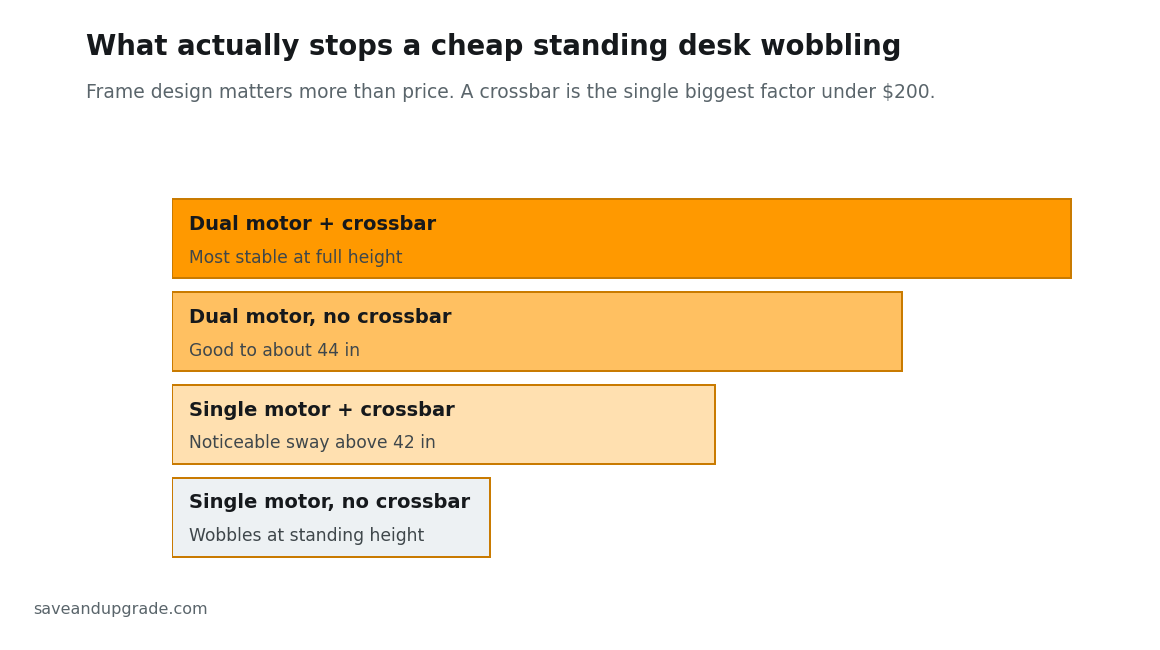
Wobble is the number one real-world complaint about desks under $200, and almost every buying guide skips it. The mechanical reality: wobble comes from flex and manufacturing tolerance in the steel legs, not from the motor. A stronger motor lifts more weight; it does nothing about lateral sway once the desk is stationary. That single fact should change how you shop.
Single vs. dual motor
A single-motor desk has one motor turning a shaft that drives both legs; a dual-motor desk has one per leg. Every complete desk under $200 is single-motor, without exception. The second motor fixes lift capacity, lift speed (0.6–1″/sec becomes 1.5–2″/sec) and long-term synchronisation. It does not fix side-to-side sway. When a reviewer says dual motors make a desk less shaky, they are describing a correlation — dual-motor desks sit on heavier frames, and the frame is doing the work.
Two-stage legs and the missing crossbar
Every desk here is two-stage: two telescoping segments per leg. Three-stage legs reach higher because each segment travels less, which is why almost every sub-$200 desk tops out between 45″ and 47″. If you are over about 6′1″, no amount of shopping this price band fixes that — buy the VIVO frame at 48.8″ or go three-stage.
A crossbar — a steel beam joining the legs into a closed box — is the most effective anti-wobble feature there is, and it is essentially absent below $200. The wide feet these desks use instead resist tipping but do little against twisting, which is what you feel when you type hard while standing. At the same price, take the crossbar.
Maximum stable height
Budget desks are steady through most of their travel and lose composure in the last few inches, because leg overlap is at its minimum when fully extended. A desk that feels solid at 40″ can sway noticeably at 46″ — typically a few millimetres of deflection, enough to see your monitor shimmer when you type hard, not enough to be unsafe. Three fixes that work: push the desk against a wall, keep clamped mass off the rear edge of the top (which of these tops can take a monitor-arm clamp at all is covered in the next section), and set your standing preset an inch below maximum.
Weight capacity vs. real load
Ratings are static-load figures and are frequently inconsistent between the Amazon page and the manufacturer’s documentation. The FlexiSpot EN1 is the clearest case — Amazon states 176 lb while FlexiSpot’s own EN1 spec is commonly cited at 154 lb. The SHW is listed at 110 lb by some sources and 100 lb by others. Plan around the lower figure.
Your actual load is lighter than you think: two 27″ panels at 12–20 lb, a dual monitor arm at 8–15 lb (the part everyone forgets), laptop and dock at 5–8 lb, and keyboard, mouse and clutter. Call it 35–55 lb. Capacity is almost never what limits a sub-$200 desk — maximum height and wobble are. Given two desks that differ only in rating, choose on height range.
Which Picks Take a Monitor Arm: Published Top Thickness
Only one complete desk here has a top thick enough for a heavy monitor arm without help: the FLEXISPOT EN1, whose one-piece top is a listed 1″ (25 mm). Both FEZIBO tops are roughly ½″ (13 mm) spliced particleboard, which clamps fine with a steel backing plate and badly without one.
Published guidance from mount manufacturers puts 18 mm (about 0.7″) as the minimum for a light single arm and 25 mm (1″) as the benchmark for heavy or dual arms. Below roughly 15 mm, an over-tightened clamp crushes the particleboard core, and the failure is not dramatic — the clamp slowly sinks in, the arm droops, and you retighten until the veneer splits.
| Pick | Top material | Published thickness | Monitor-arm verdict | Buy |
|---|---|---|---|---|
| FLEXISPOT EN1 48×24 | One-piece engineered wood, no seam | 1″ (25 mm) | Best here. Meets the heavy/dual-arm benchmark; clamp anywhere along the rear edge | Check Price |
| VIVO DESK-V101EB frame | Your choice of top | VIVO specifies ¾″ (19 mm) minimum | Best if you buy a slab. A butcher-block top is the stiffest clamp surface available under $200 | Check Price |
| FEZIBO 48×24 | Veneered particleboard, two spliced panels | About ½″ (13 mm) | Workable with a steel backing plate; keep the clamp clear of the centre seam | Check Price |
| FEZIBO 55×24 dual-motor | Veneered particleboard, two spliced panels | About ½″ (13 mm) | Same caveat, but 55″ of width gives you room to clamp well away from the seam | Check Price |
| SHW 48″ Electric | Laminated engineered wood | Not published — measure before ordering an arm | Assume it needs a backing plate until you have measured it | Check Price |
| VIVO DESK-V000K converter | Riser platform, not a desk top | n/a | Clamp to the desk underneath, not the riser — and mind the riser’s 33 lb limit | Check Price |
Swipe the table sideways to see every column.
Two things to check before you order the arm. The clamp’s jaw range is rarely the problem — most open to about 0.4″–3.3″, so a thin top is a crushing risk, not a fitting one. What catches people is rear clearance: a C-clamp needs open space behind the frame’s rear rail, which on a 24″-deep top is tighter than expected. If the arm also ships with a grommet mount, use it — a grommet through a ½″ top spreads load far better than a clamp.
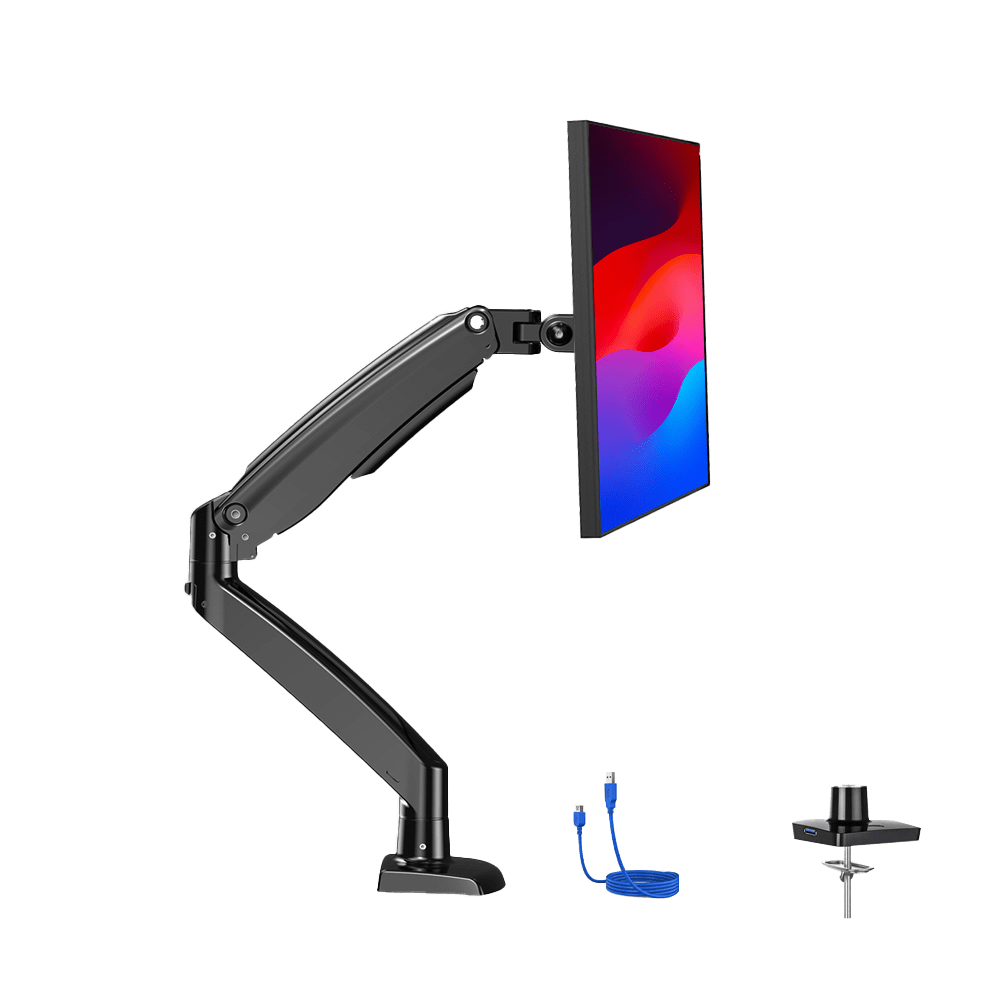
There is a stability cost regardless of which desk you pick. Mass mounted high and at the back edge is exactly the load that turns mild sway into visible shimmer at full height, so a monitor arm makes a budget frame feel worse even when the top handles it fine. If you want two screens on arms at standing height, that is the clearest signal in this whole guide to spend past $200.
Assembly Reality: Tools, Time and What Actually Arrives
Every complete desk here arrives flat-packed and none ships assembled. The two easy routes are the VIVO DESK-V000K converter, which needs no assembly at all, and adding Amazon’s separate Desk Assembly service to your order — a distinct line item, not a checkbox on the desk listing, and availability depends on your ZIP code.
Two honest notes before the table. Manufacturers do not publish carton weights or assembly times for most of these, so we have not invented either — what follows is what the listings and manuals actually specify, plus what buyers consistently report. And the one figure that matters more than minutes: a complete 48″ desk is a two-person lift at the flip stage, when you turn the assembled desk upright. That is where solo builders damage tops and strain backs.
| Pick | Arrives as | Tools | Drilling? | Realistic effort |
|---|---|---|---|---|
| VIVO DESK-V000K converter | One box, ships fully assembled | None (hex key only if you remove the keyboard tray) | No | Unbox and place. The only zero-assembly pick |
| SHW 48″ Electric | Complete desk, pre-drilled top | Included hex keys | No | Simplest of the complete desks; buyers routinely report well under half an hour |
| FEZIBO 48×24 | Complete desk, pre-drilled two-piece top | Included hex keys | No | Straightforward, but the splice board means aligning two panels before the frame goes on |
| FLEXISPOT EN1 48×24 | Two separate packages — frame and top ship apart | Included tools | No | Simple build, but both cartons must arrive before you can start; check the tracking on each |
| FEZIBO 55×24 dual-motor | Complete desk, wider two-piece top | Included hex keys | No | Same as the 48″, with more mass to flip. Genuinely a two-person job |
| VIVO DESK-V101EB frame | Frame only — no top in the box | Power drill required | Yes — you drill pilot holes into your own top | The longest build here. Budget an evening, not a coffee break |
Swipe the table sideways to see every column.
The one that catches people out is the EN1 shipping in two packages. Several EN1 listings state “2 Packages” in the title itself. They frequently arrive on different days, and a delayed second carton means a frame sitting in your hallway with nothing to bolt to it. If your delivery window matters, the single-carton complete desks are the safer order.
If you do not own a drill and the VIVO frame is otherwise your pick, factor that into the price — the frame-plus-slab route only stays cheap if the drill is already in the cupboard. Our guide to the best cordless drills for home use covers what is adequate for the job, which is very little.
Standing Desk Converter vs. Full Desk Under $200
For a meaningful share of people reading this, the right purchase under $200 is not an electric desk at all. It is a desktop converter that sits on the desk you already own. We would rather say that plainly than sell you a frame you will resent.
Buy a converter if you rent and cannot dispose of furniture when you move; you already own a desk you like; you have never stood at a desk and do not know whether you will; or your budget is under $150 and you would otherwise be shopping the very bottom of the electric market.
Buy a full electric desk if you switch positions several times a day and want it to take five seconds; you need the whole surface to rise, notebook and coffee included; you are replacing a desk anyway; or you run more than one monitor.
A converter uses a gas spring: squeeze a handle, lift with your hands, and it counterbalances the weight. It adds around 16″ of lift, needs no assembly, and moves house in a car. Its limits are real — the VIVO DESK-V000K is rated at 33 lb, enough for a laptop plus one monitor and not much more, and its keyboard tray sits at a fixed offset, so your ergonomics are set by the manufacturer. There is a subtler cost too: only the riser rises, so a second screen or a notepad stays at sitting height and becomes unreachable while you stand.
Rule of thumb: if you are unsure whether you will stand, buy the converter — a $130 riser you stop using costs you far less than a $180 desk you have to get rid of.
1. FEZIBO 48×24 Electric — Best Overall Value
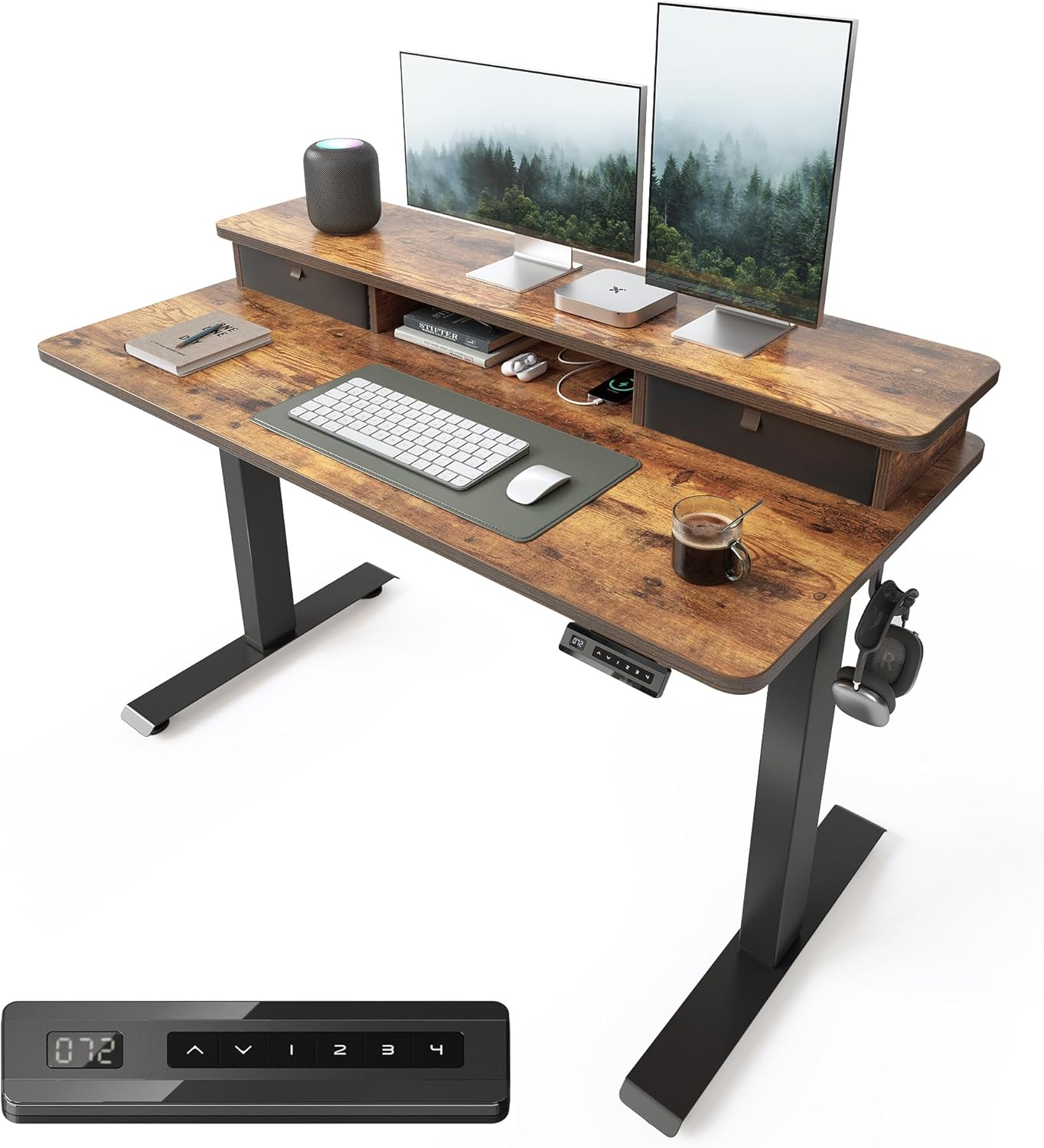
The FEZIBO 48×24 is the best standing desk under $200 for most buyers: the highest listed weight rating and the lowest minimum height in the group, plus storage nobody else includes. The SKU linked here ships with a double drawer and a storage shelf.
Manufacturer-listed specs: 27.4″–46.1″ · 176 lb · single motor, two-stage · 3 memory presets · under 50 dB · 5-year frame, 2-year motor · 48″×24″ splice-board top.
The 27.3″ minimum is the number most guides ignore. If you are under about 5′5″, most standing desks are too tall when seated — a worse ergonomic problem than being slightly low when standing. FEZIBO is the only complete desk here that drops far enough. The compromises: a visible centre seam (a desk mat covers it), a 46.1″ ceiling that rules it out above roughly 6′1″, and heavy SKU sprawl, so check that the variant in your cart is the one with the accessories in the photos.
Pros: lowest minimum height here (27.3″); highest listed capacity under $200; drawer and shelf included on this SKU; 5-year frame warranty is unusually long at this price.
Cons: visible centre seam; 46.1″ ceiling rules it out above about 6′1″; confusing SKU sprawl means accessories vary between near-identical listings.
Who it is for: single-monitor workers under 6′, especially anyone under 5′5″ who needs a genuinely low seated height.
2. FlexiSpot EN1 48×24 — Least Wobble Under $200
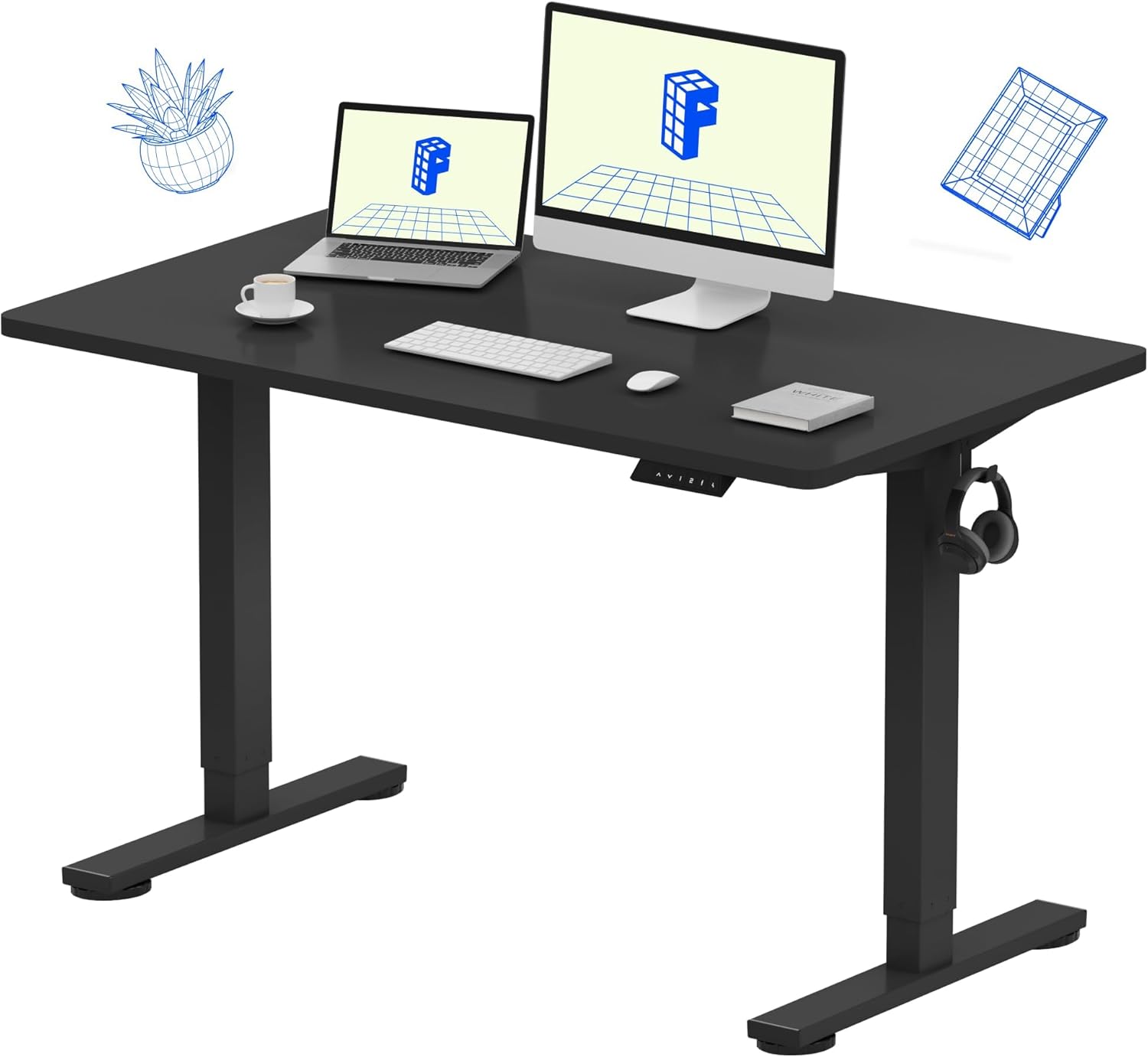
The FlexiSpot EN1 is the most stable complete desk under $200. Not because of a crossbar — it does not have one — but because FlexiSpot holds tighter tolerances in the leg segments than the budget brands, so there is less slop to amplify at standing height.
Manufacturer-listed specs: roughly 28.9″–46.5″ with the 1″ top · Amazon lists 176 lb while FlexiSpot’s own EN1 spec is commonly cited at 154 lb · single motor, two-stage, about 0.6″/sec, under 50 dB · 4 presets · one-piece 48″×24″ top · anti-collision · 5-year frame and motor, 2-year controller.
Two things separate it from the cheaper picks: the top is a single piece rather than two spliced panels, so it is stiffer across the middle where a monitor arm clamps, and FlexiSpot actually stocks spare controllers, keypads and legs — the difference between a five-year desk and a two-year one. The honest downside is speed. At roughly 0.6″ per second a sit-to-stand transition takes 25–30 seconds versus about 12 on the VIVO frame, and a slow desk is a desk you switch less often.
Pros: least wobble of any complete desk under $200; one-piece top with no seam; replacement parts genuinely available; 5-year frame and motor warranty; anti-collision and 4 presets.
Cons: slowest lift here at roughly 0.6″/sec; capacity listed inconsistently (154 vs 176 lb); no cable tray included, and it frequently drifts just above $200.
Who it is for: anyone who has lived with a wobbly budget desk before, and anyone who wants to be able to buy a replacement part in year three.
3. SHW 48″ Electric — Tightest Budget
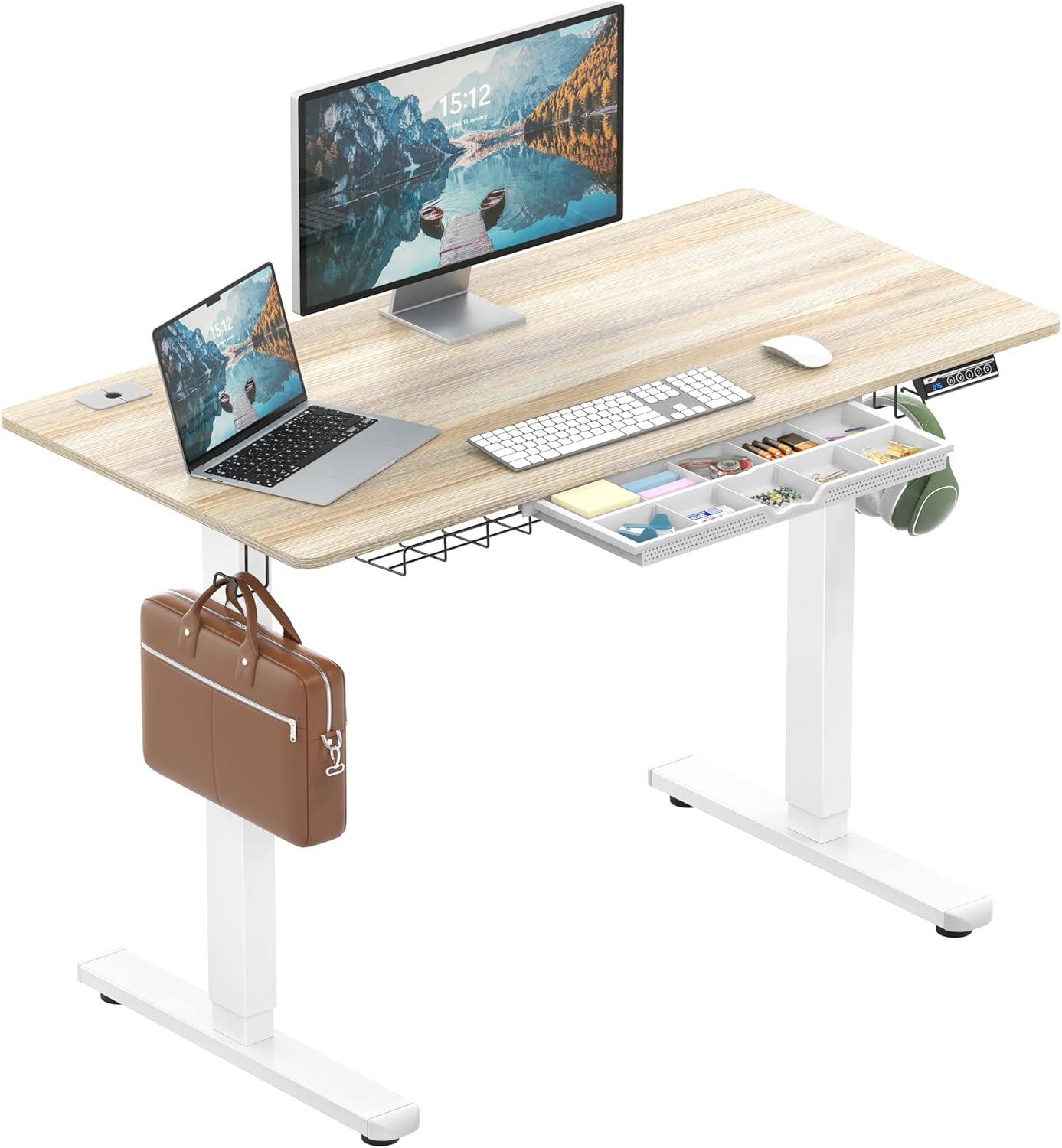
The SHW 48″ is the cheapest complete motorised standing desk we would tell a friend to buy. It clears the bar that matters at this price: four memory presets, a compartmented drawer, a cable tray, and a brand that has sold on Amazon long enough that support requests get answered. Below this price you are gambling.
Manufacturer-listed specs: 28″–45″ · 110 lb on some sources, 100 lb on others · single motor, two-stage · 3 memory presets via LED handset · drawer, cable tray and hooks on some finishes · 48″×24″ top.
Assembly is the fastest here at roughly 15 minutes. The 45″ ceiling is the thing to check before anything else: it suits a standing user up to about 5′10″, and above that you will type with your wrists angled up, which defeats the point. Stability at full extension is the weakest of the complete desks, so this is the model that most rewards pushing against a wall.
Pros: consistently the lowest price for a complete desk from an established brand; 3 memory presets; compartmented drawer and cable tray included; fastest assembly at around 15 minutes.
Cons: 45″ maximum is too low above about 5′10″; lowest capacity here and sources disagree (100 vs 110 lb); most noticeable sway at full extension; shortest warranty of the group.
Who it is for: budget-first buyers under 5′10″ with a laptop or single-monitor setup who want everything in one box.
4. VIVO DESK-V101EB Frame — Best for Tall Users and Custom Tops
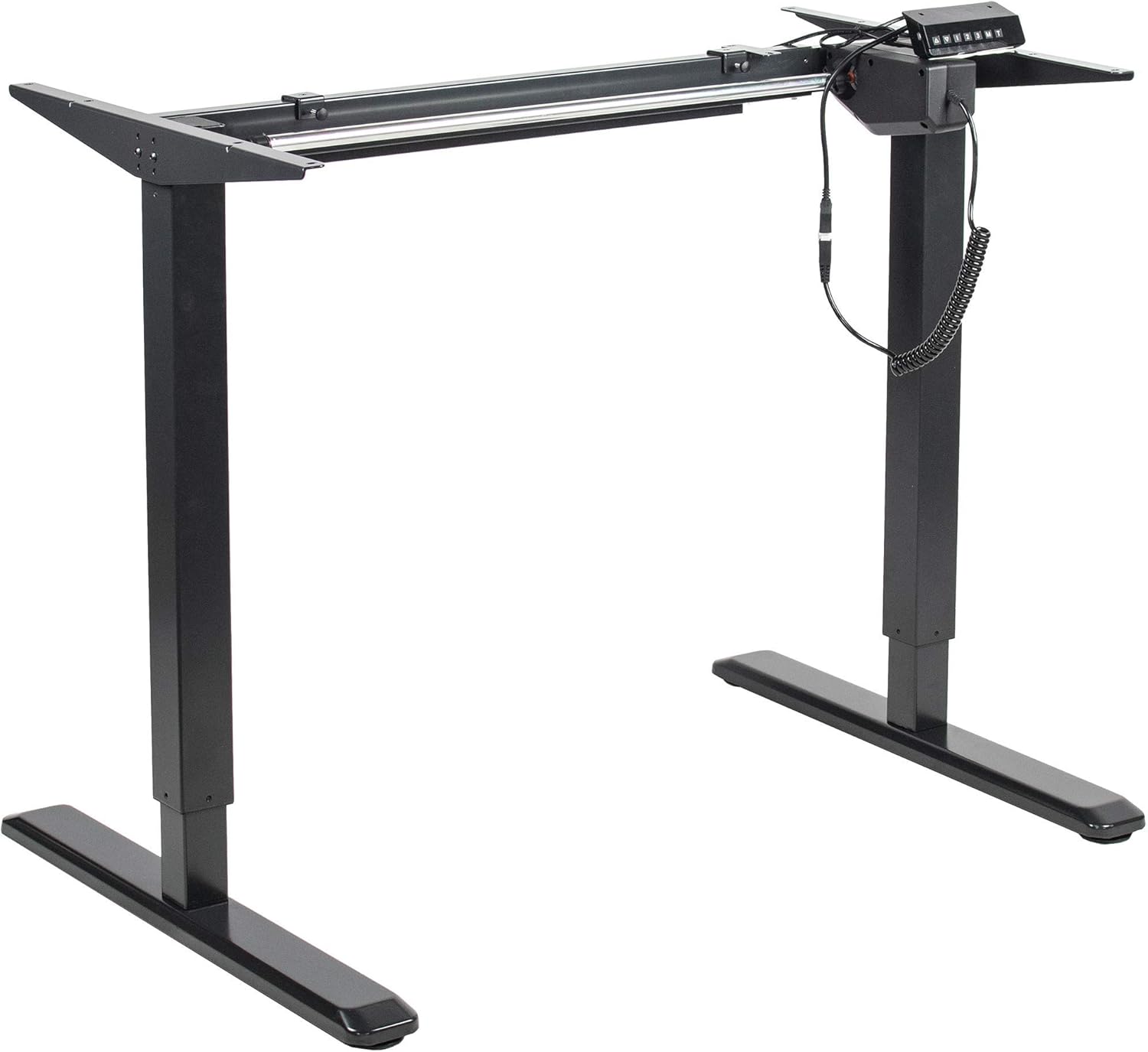
The VIVO DESK-V101EB is a frame with no top, and it solves the one problem no complete desk under $200 solves: height. At 48.8″ it is the only pick that reaches a correct standing height above 6′1″, and at 1.5″ per second it is also the fastest.
Manufacturer-listed specs: 29″–48.8″ frame height · fits tops 41″–83″ long and 23″–44″ deep · 176 lb · single motor, two-stage, 1.5″/sec with thermal overload protection · integrated cable management and levelling feet · 3-year limited frame warranty.
Budget realistically for the top: a 48×24 laminate panel runs roughly $25–$40, a solid butcher-block slab $60–$90. Either keeps the total under $200. There is a stiffness bonus people miss — a thick solid top is far more rigid than a splice board, so a frame-plus-slab build often wobbles less than a complete desk at the same total price. The cost is effort: drilling pilot holes and driving screws into the underside is a 30–60 minute job with a drill, not a screwdriver. If you do not own one, see our guide to the best cordless drills for home use.
Pros: 48.8″ maximum, the only pick that works above 6′1″; fastest lift here with thermal overload protection; fits tops from 41″ to 83″; paired with a solid slab, the stiffest build under $200.
Cons: no top, so a separate $25–$90 purchase and delivery; requires a drill and about an hour; 29″ minimum is the highest here, poor below 5′4″; 3-year warranty is the shortest.
Who it is for: anyone over 6′1″, anyone who already owns a top worth keeping, and anyone who wants maximum rigidity per dollar.
5. VIVO DESK-V000K Converter — Best If You Are Not Ready to Replace Your Desk
The VIVO DESK-V000K is the pick for renters, desk-keepers and anyone unsure they will actually stand. It is a 32″ gas-spring riser that sits on your existing desk, needs no assembly beyond unboxing, and lifts with a squeeze of a handle — no power, no cable, no drilling.
Manufacturer-listed specs: 32″ work surface with a separate wide keyboard tray · gas spring, 4.2″ at rest rising to 19.7″ above your tabletop — about 15.5″ of lift · 33 lb · no assembly · fits one monitor plus a laptop, or two small monitors.
The appeal is reversibility. If you discover after a month that you stand for twenty minutes a day and then sit back down, you have lost nothing but shelf space; a full desk in the same situation is furniture you have to move. Respect the 33 lb rating — two 27″ monitors plus a laptop will exceed it. And the keyboard tray height is fixed relative to the top surface, which is the most common complaint about converters generally.
Pros: zero assembly, power or commitment; keeps a desk you already own; moves house in a car; the cheapest honest route to standing at a desk.
Cons: 33 lb limit rules out true dual-monitor setups; keyboard tray removable with the included hex key but fixed in height relative to the top; only the riser rises, and it occupies desk space permanently.
Who it is for: renters, first-time standers, and anyone with a desk they are not willing to give up.
6. FEZIBO 55×24 Dual-Motor — The $250–$300 Stretch
If you want a desk that stays composed at full height with two monitors on it, this is the cheapest credible way to get there. It is over $200 and included deliberately, because for dual-monitor buyers the under-$200 answer is genuinely worse value.
Manufacturer-listed specs: 28″–45.5″ · 220 lb · dual motors, one per leg · 3 presets · 55″×24″ top · cable tray, desk hooks and anti-collision included.
What you feel day to day is the width and the speed. Two 27″ monitors fit side by side with room for a notebook, which they do not on a 48″ top, and the dual motors halve the transition time — which in practice means you change position more often, the entire point of owning the desk. Be clear-eyed about what it does not fix: at 45.5″ the ceiling is no better than the SHW, because two-stage legs still cap the height. Over 6′, you need three-stage legs or the VIVO frame, not a second motor.
Pros: dual motors give 220 lb capacity and roughly double the lift speed; 55″ top genuinely fits two 27″ monitors; markedly more composed at standing height than any single-motor desk here.
Cons: over $200; 45.5″ maximum is no help to tall users; 3 presets rather than 4; needs a wider footprint, so measure the room first.
Who it is for: dual-monitor workers under 6′ who can flex by $80–$100 and want stability rather than more features.
How to Get a Budget Standing Desk Without Overpaying
The most effective tactic is timing. Every desk here discounts on a predictable rhythm — Prime Day in July and October, Black Friday through Cyber Monday, and a quieter January clearance — and the swing is typically 20–30% on the same SKU. A desk sitting at $199 in April is often $149 in July. Four other ways to spend less:
- Buy the frame, source the top locally. A frame plus a laminate panel or butcher-block slab almost always beats a complete desk on both price and rigidity. It is the biggest single saving in this category.
- Choose the unpopular finish. Identical desks are routinely priced $20–$40 apart across colour variants because demand differs. Black and white are usually the most expensive.
- Check Amazon Warehouse and open-box. Standing desks are bulky, so returns are common and often cosmetic. Discounts of 15–25% are typical and the warranty usually still applies.
- Skip bundled accessories. Monitor arms, cable trays and anti-fatigue mats bundled into a desk listing are almost always cheaper bought separately, and are usually the lowest-spec version.
One thing not to economise on: do not buy a no-name electric desk under $130. That is the price point where the controller is proprietary and unavailable separately, and a dead keypad ends the desk. A $150 desk from a brand that sells spare parts is cheaper over three years than a $120 desk that becomes scrap.
Who Should Not Buy a Standing Desk Under $200
Anyone over 6′1″ buying a complete desk. Two-stage legs cap out at 45–47″. You need the VIVO frame, a three-stage desk, or nothing — standing at a desk two inches too low is worse for you than sitting.
Anyone running three monitors or heavy clamped arms. Not because of weight, which the ratings cover, but because mass mounted high and at the back edge is exactly the load that turns mild sway into visible shimmer.
Anyone who needs silence while recording. Under 50 dB is quiet for an office and clearly audible on a podcast mic. Adjust between takes, not during.
Anyone standing more than four hours a day. At that level the floor is the constraint, not the desk. Budget for an anti-fatigue mat before you upgrade the desk.
What to Budget for Beyond the Desk
Monitor height. A screen propped on books at seated height is wrong at standing height, so the monitor needs enough stand adjustment to work at both. If you are replacing a screen anyway, our guide to the best monitors for a home office under $300 covers which panels have the range.
Lighting. Overhead lighting that works seated throws glare and shadow when you stand, because your eyeline and the screen angle both change. A screen-mounted bar fixes it without eating desk space — see our picks for the best monitor light bars under $50.
Also budget $30–$50 for an anti-fatigue mat if you will stand more than an hour at a time. Cables that are slack at sitting height go taut at 46″, and a yanked power cable is the most common way people damage a new standing desk in week one.
Not ready to replace your desk? A converter sits on the desk you already own — no assembly, nothing to drill, and it moves house with you. See standing desk converter vs standing desk for which one actually suits your room, and the 4-inch height trap that catches most first-time buyers.
Frequently Asked Questions
What is the best standing desk under $200?
The FLEXISPOT EN1 is the best standing desk under $200 if stability matters most, and the FEZIBO 48×24 is the best value if you want the most desk and storage for the money. On a tighter budget the SHW 48″ is the cheapest complete motorised desk worth buying. All three are single-motor, two-stage desks — universal at this price — so choose on height range, top thickness and warranty rather than features.
Is a $200 Amazon standing desk worth it?
For a single-monitor worker under about 6′ who stands one to three hours a day, yes. The desk raises and lowers reliably and that is the benefit. Doubling to $400 buys a stiffer frame, a second motor, a 5-year warranty and a thicker top — not a different idea. It stops being worth it if you run dual monitors on arms, are over 6′1″, or stand more than three hours a day, because that is exactly where a single-motor two-stage frame gives up.
Which standing desk under $200 works with a monitor arm?
The FLEXISPOT EN1 is the only complete pick under $200 with a one-piece 1″ (25 mm) top, which is the thickness mount makers recommend for heavy or dual arms. FEZIBO tops are roughly ½″ spliced particleboard, so a clamp needs a steel backing plate and must sit clear of the centre seam. The VIVO frame takes any top from ¾″ upward, so pairing it with a butcher-block slab gives the best clamp surface at this price.
Is there a standing desk under $200 with an assembly option?
None of them ship assembled, but there are two routes. Amazon sells Desk Assembly as a separate Home Services line item you add alongside the desk, and availability depends on your ZIP code. Or buy the VIVO DESK-V000K converter, which needs no assembly at all. Among the complete desks the SHW 48″ is the simplest build — pre-drilled top, included hex keys, no power tools — while the VIVO frame is the only pick that requires a drill.
Do standing desks under $200 wobble at standing height?
Yes, all of them do to some degree. Wobble comes from flex and tolerance in the steel legs, not from the motor, and every desk under $200 uses two-stage legs with no crossbar. Expect a few millimetres of sway in the top two inches of travel — enough to see your monitor shimmer when you type hard, not enough to be unsafe. The fixes are pushing the desk against a wall, keeping clamped mass off the rear edge, and setting your standing preset an inch below maximum.
Is it worth stretching to $250–$300?
Yes if you run dual monitors, stand more than three hours a day, or want the desk to feel solid at full extension. The extra $80–$120 buys a second motor (220–250 lb capacity and roughly double the lift speed), a heavier frame or crossbar that genuinely reduces sway, a three-to-five-year motor warranty instead of one-to-two, and a 55″ top instead of 48″. There is no credible dual-motor desk under $200, which is why the step exists.
The Verdict
The FlexiSpot EN1 is the best standing desk under $200 for the least wobble and the best chance of surviving five years. The FEZIBO 48×24 is the best value if you want storage, a low seated height and the highest capacity here. If money is the only constraint, the SHW 48″ is complete and reliable, provided you are under 5′10″. Over 6′1″, or already own a top? The VIVO DESK-V101EB frame is the only pick that reaches a correct standing height. If you rent or have never stood at a desk, buy the VIVO DESK-V000K converter first. And if dual monitors and stability at full height are what you are really after, stretch to the FEZIBO 55×24 Dual-Motor.
Price bands are indicative and were checked on August 3, 2026. Amazon prices change frequently — always confirm the live price on the product page before buying.
Related guides
Keep reading

As an Amazon Associate, Save & Upgrade earns from qualifying purchases. Prices and availability are accurate as of the date noted and are subject to change.
Leave a Reply